
 Clone Risk
A risk can be cloned from an existing risk.
There are multiple types of cloning.
- Unrelated
- Siblings
Unrelated - A new risk at the top level is created.
e.g. 10.04 stays same and new risk 10.10 is created (if 10.09 is the last item)
e.g. 10.04B stays same and new risk 10.10 is created (if 10.09 is the last item)
Only Identification, Analysis and Evaluation are copied from selected risk to new risk
Siblings - The risk are associated at similar level and are created by breaking risk at top level.
Split in siblings - Selected risk is split in two risks. Selected risk is not available
e.g. 10.04 converts to 10.04A and 10.04B
Only Identification, Analysis and Evaluation are copied from selected risk to new risk
Copy siblings - It is only applicable for sibling risks. A new risk at the same level of the selected risk is created
e.g. 10.04B stays same and new risk 10.04C is created
Only Identification, Analysis and Evaluation are copied from selected risk to new risk
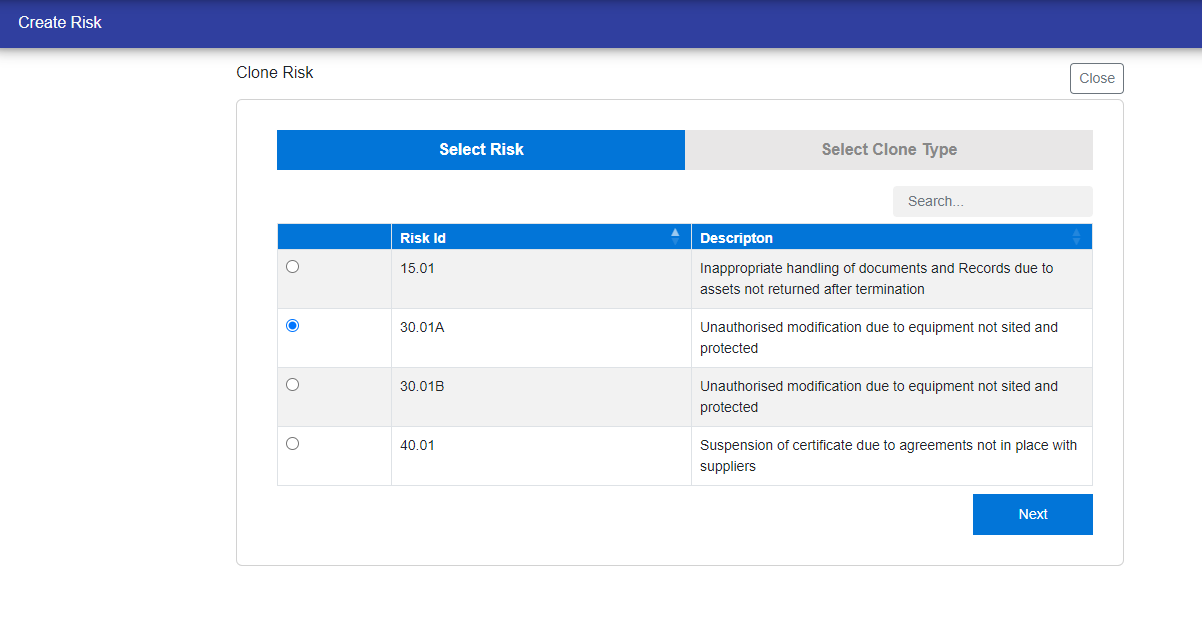
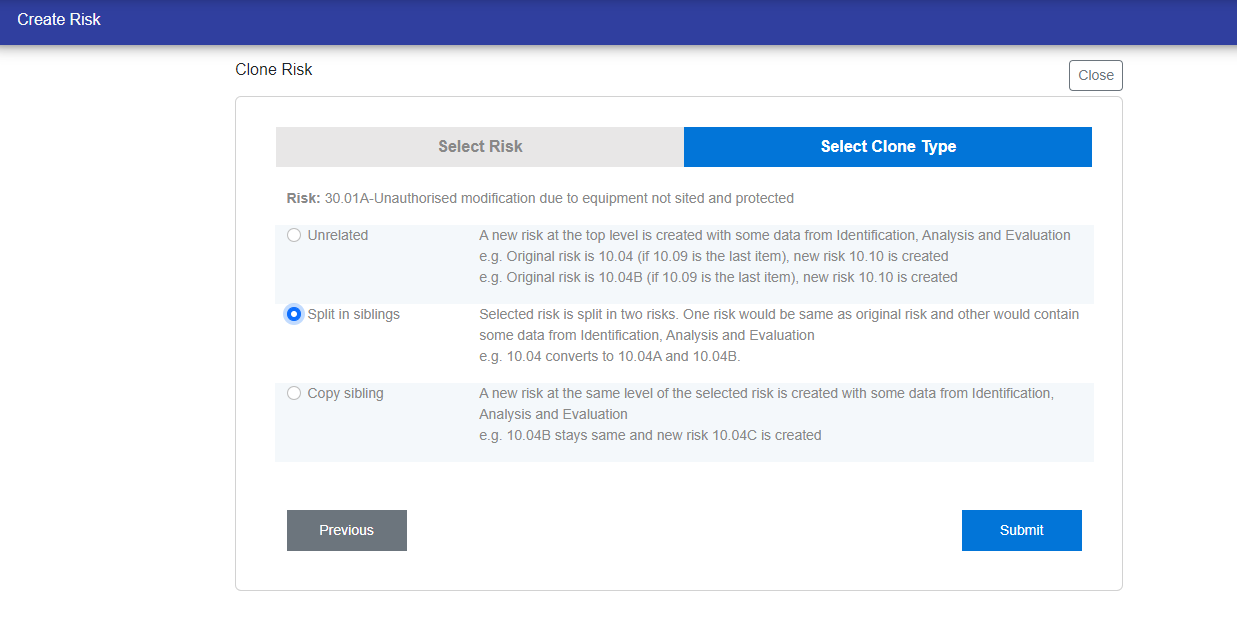
Clone Risk is completed in two steps:-
Step 1 - Identify the Risk Id.Then Click Next to go on step 2.
Step 2 - Select the clone type i.e, Unrelated or siblings.Then Click Submit to clone the risk.
© Tofrum, 2024 • Updated: 19-3-2024
Comment or report problem with topic
