
 New Risk
Users based on their rights can create a risk.
As the users select any of the fields mentioned below, grid containing all risks will be filtered.
The grid can be viewed by selecting the checkbox.
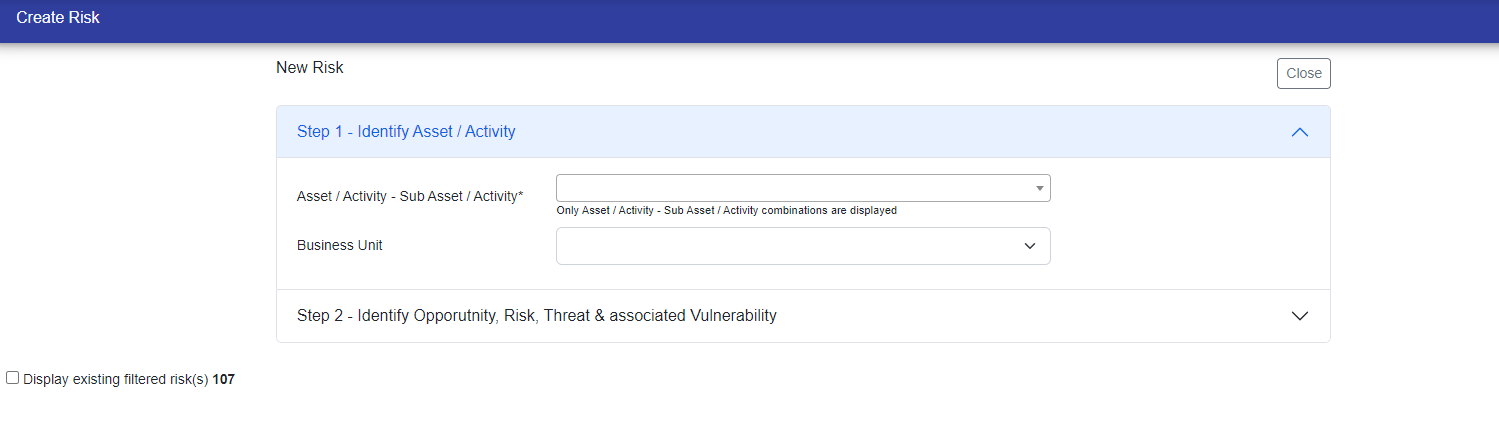
Identifying Asset / Activity - Sub Asset / Activity
User can select an existing entry or create new Asset / Activity - Sub Asset / Activity if they select "Create New *" in the drop down.
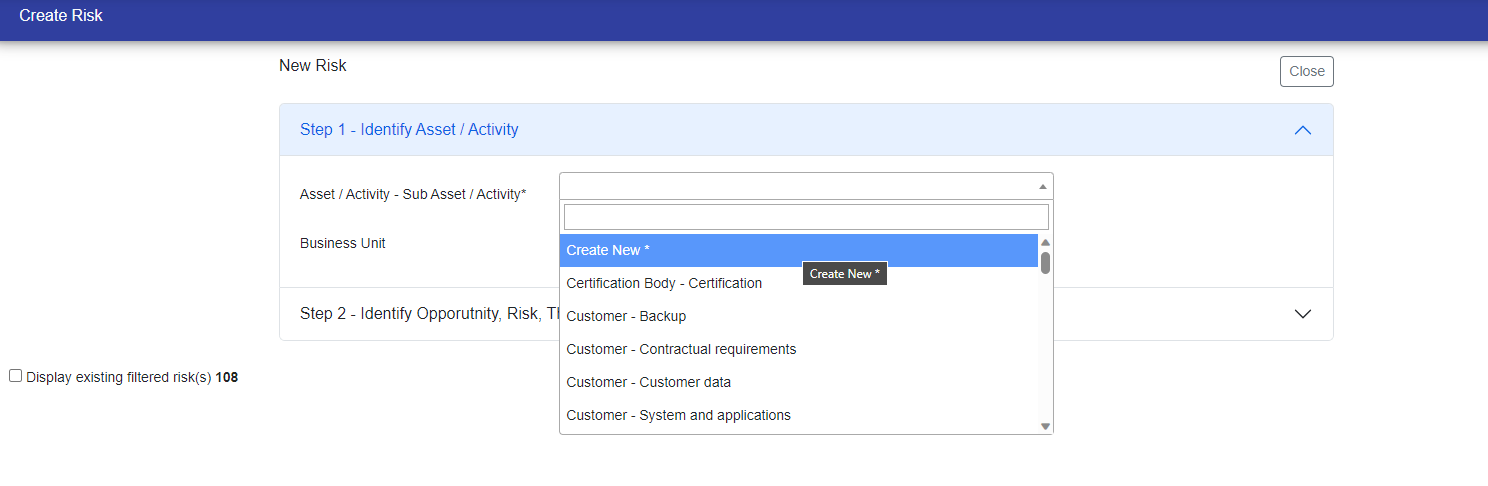
A pop up will be displayed if "Create New *" is selected in which there is two tabs one is for Asset / Activity and second is for Sub Asset / Activity.
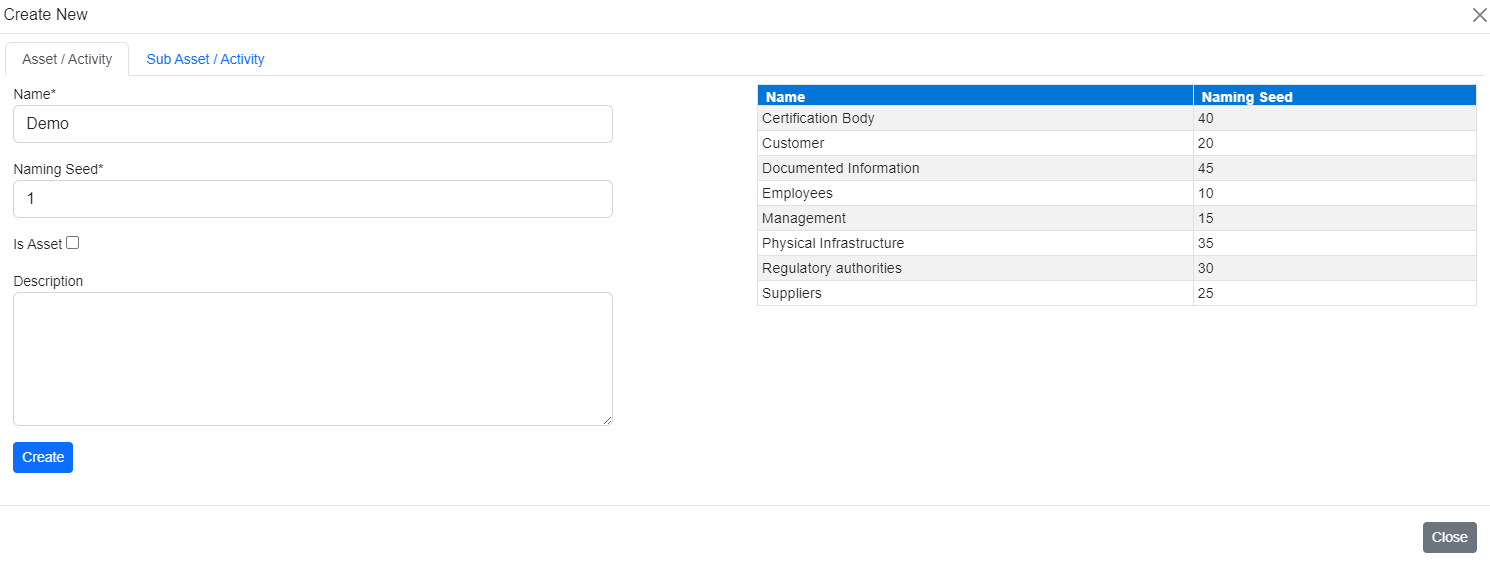
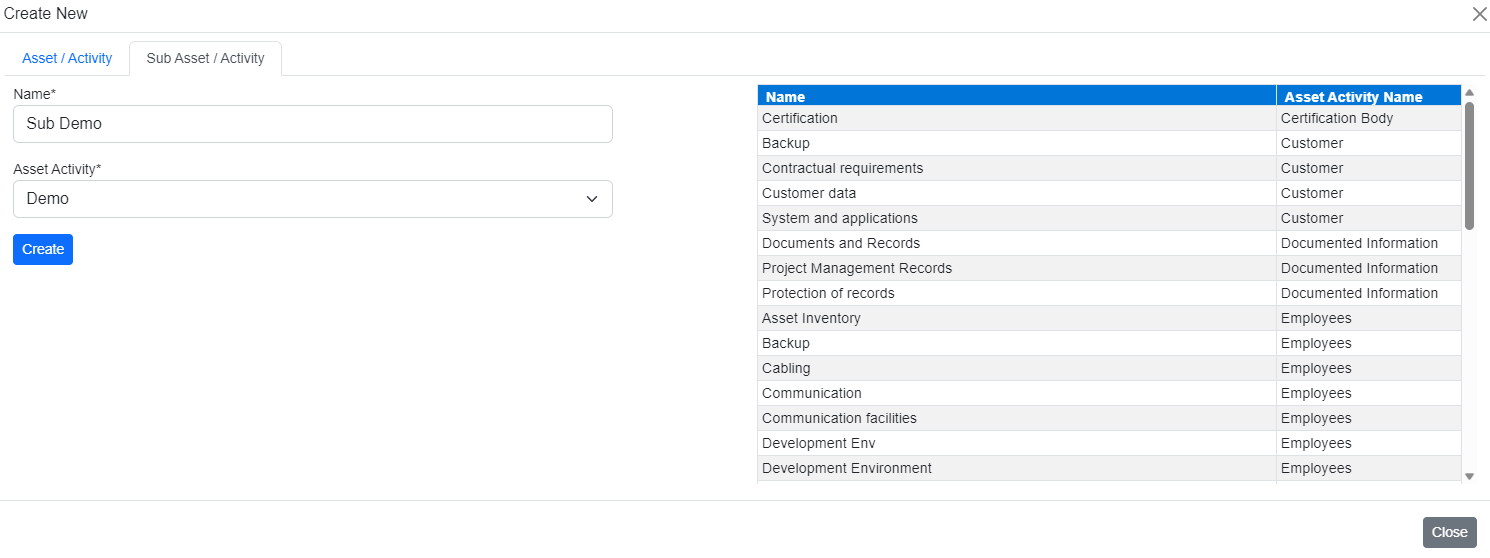
Additional fields may be displayed as well.
Identifying Opportunity, Threat, Vulnerability, Risk & related fields
Select various fields. Some fields e.g. Opportunity, threat & vulnerability are type ahead.
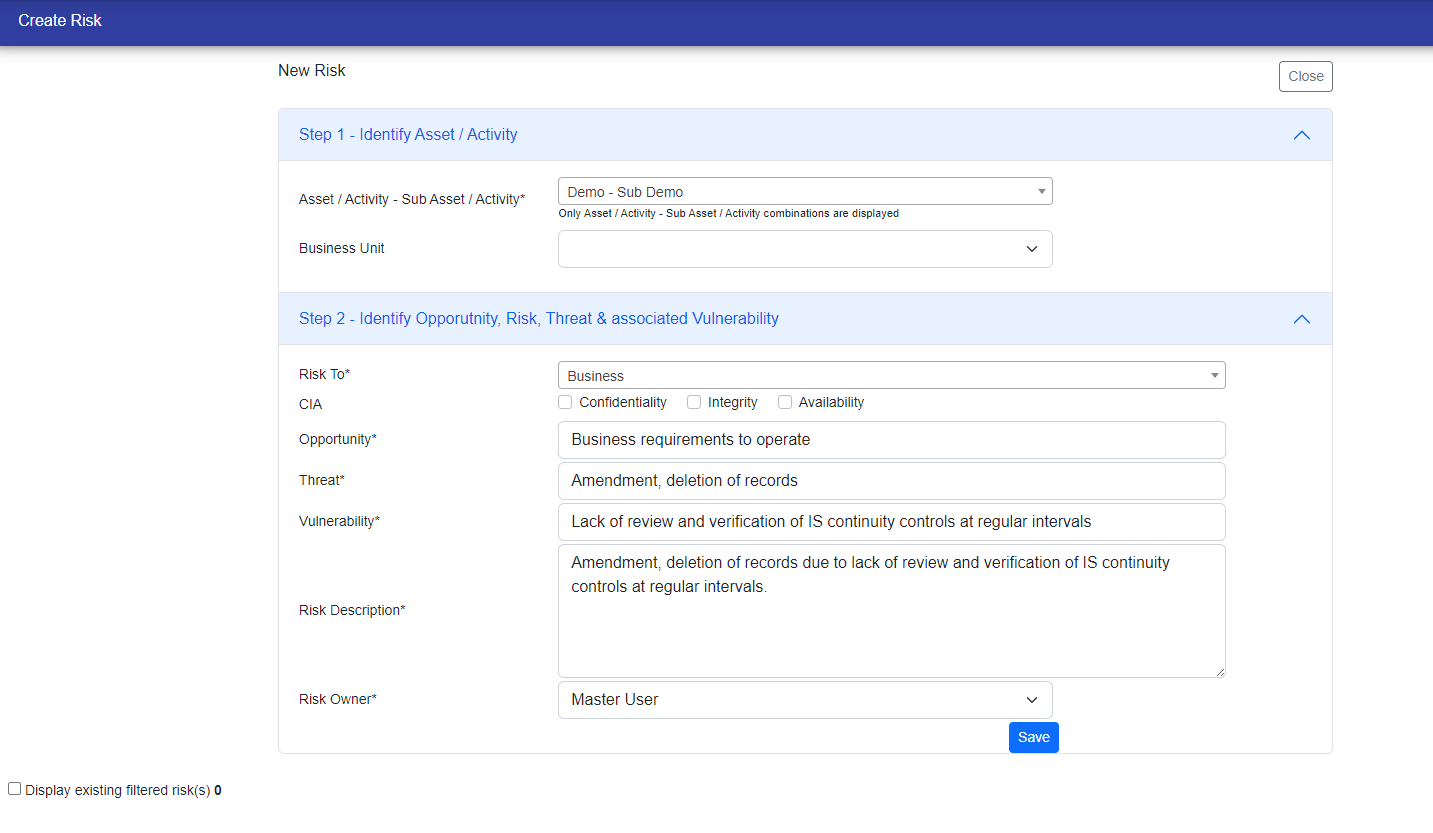
After entering data in various fields click "Save" and a new risk would be created. The risk id would be displayed and then you would be redirected to listing page.
© Tofrum, 2024 • Updated: 31-1-2024
Comment or report problem with topic
