
 Risk Register Listing & Editing
You can click on Risk Register in the dashboard sidemenu on the left side to view the risks.
You can filter risks owned by you ‘My Risks’ and all risk within the organisation by ‘All Risks’.
You can double click on any item in the listing and it will open a pop up.
The risk stage will decide the popup displayed.
If you click on a risk item at the first tab, it may open a single pop up if no treatment exists otherwise it will open two pop ups.
The content in drop down and other places may change based on the setup.
There are multiple stages of risk.
- Incomplete Identification
- Analysis Pending
- Evaluation Pending
- Treatment Plan Pending
- Treatment Implementation Pending
- Residual Risk Pending
- Review Pending
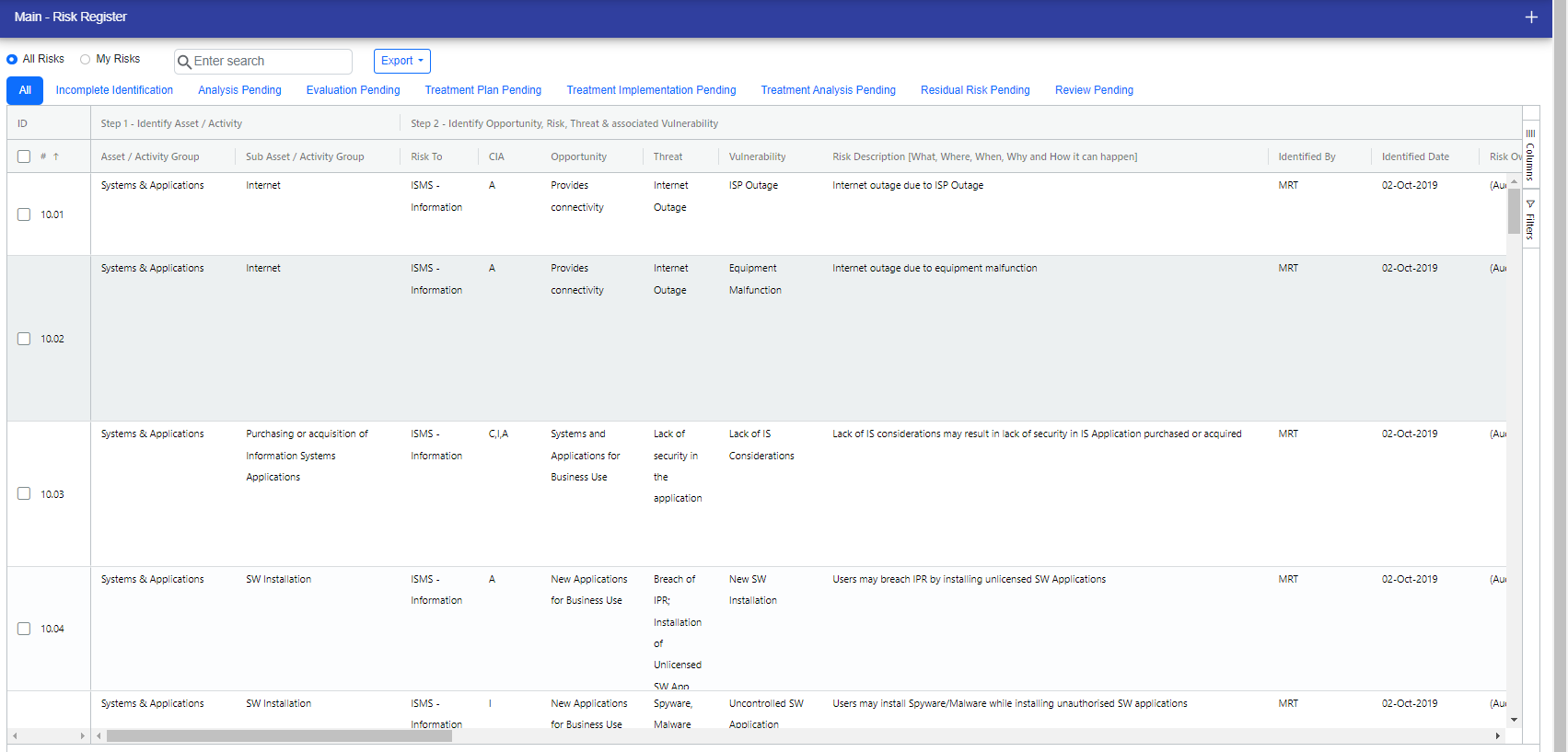
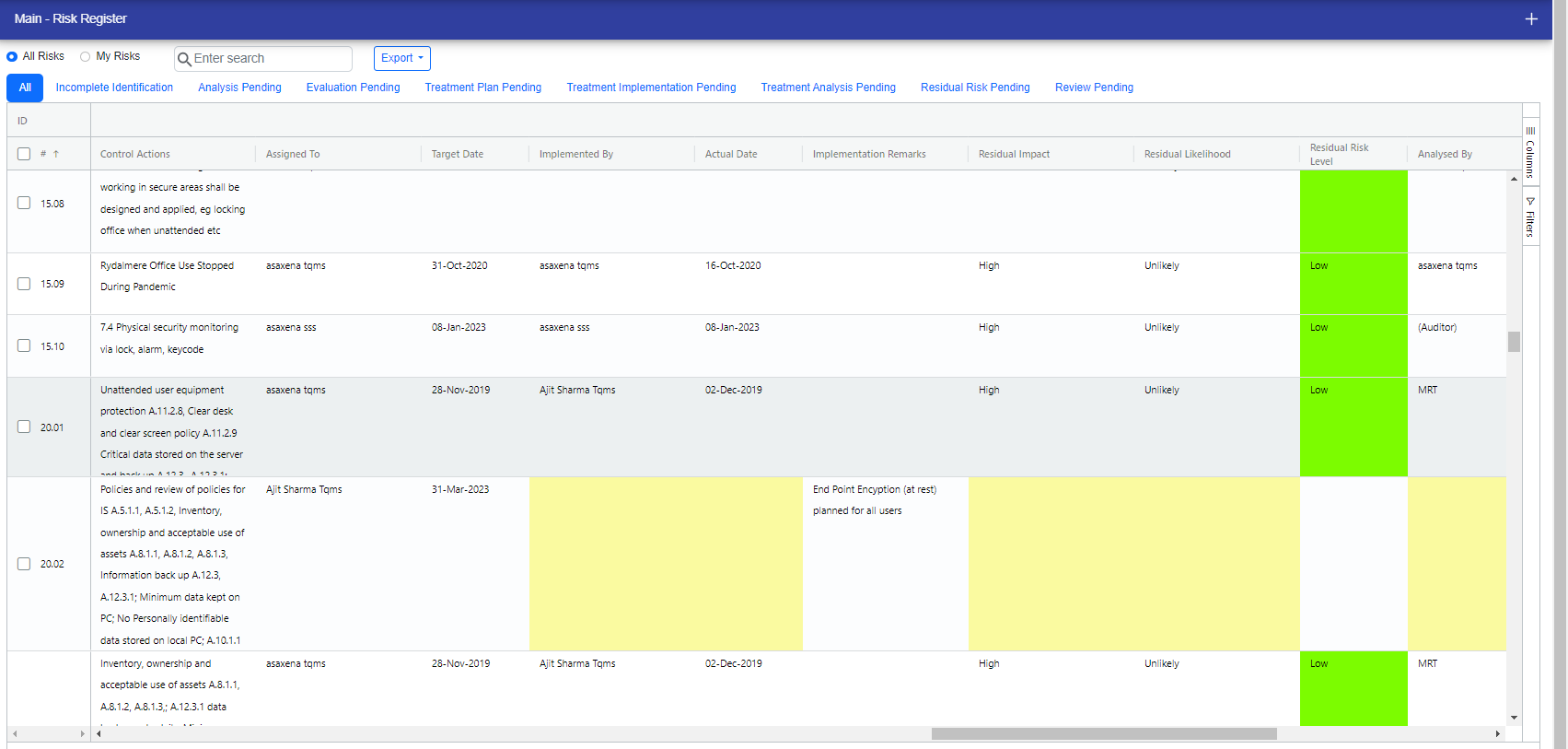
When some required field are not filled then the fields are highlighted with yellow color in the grid.
OFI Linking Functionality: If you have access to problem management, you can now link risks with OFIs and delink them as needed
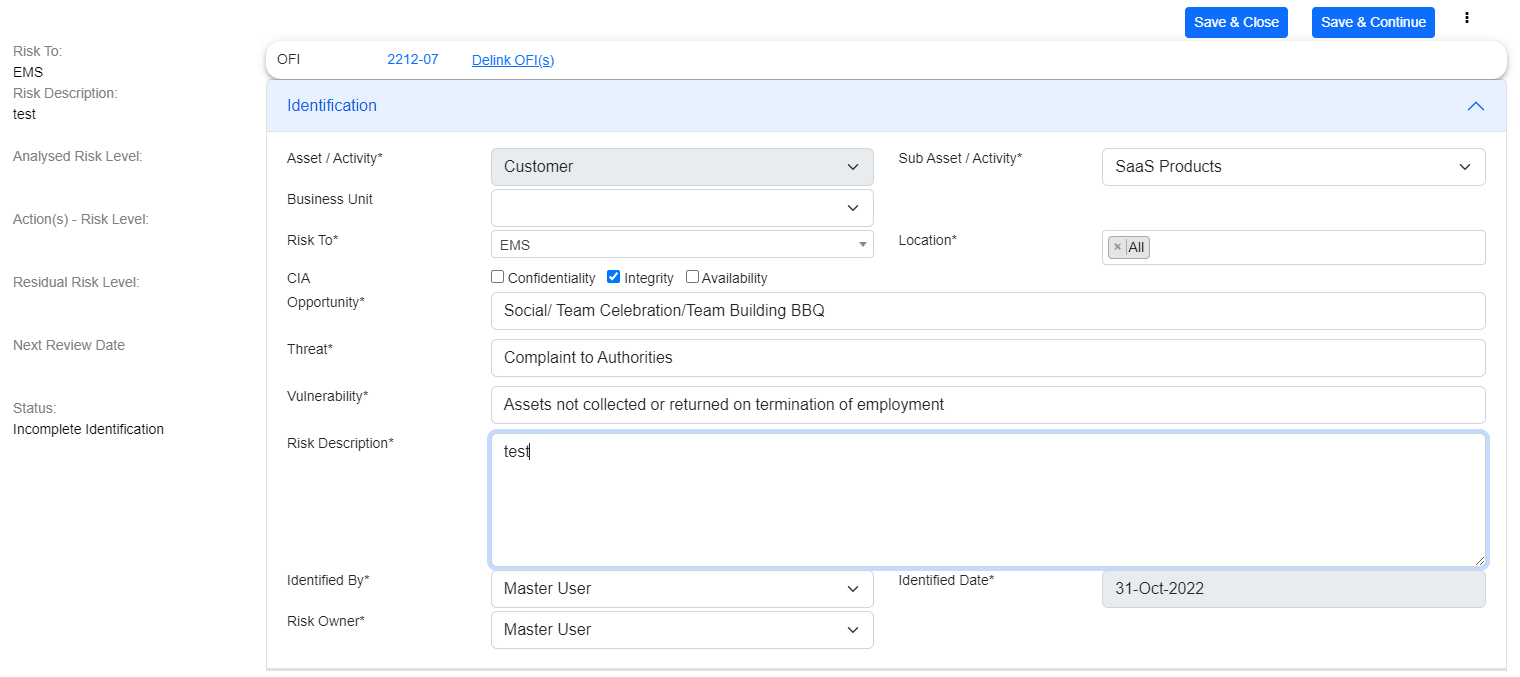
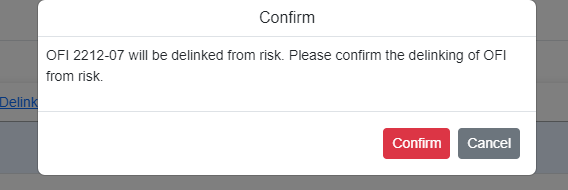
If you want to delink the OFI then click on "Delink OFI(s)" and a confirmation popup will display.
You can filter the list by two ways:
- Click the filter option in the right side of the table
- Click Three Bar Icon present in every column.
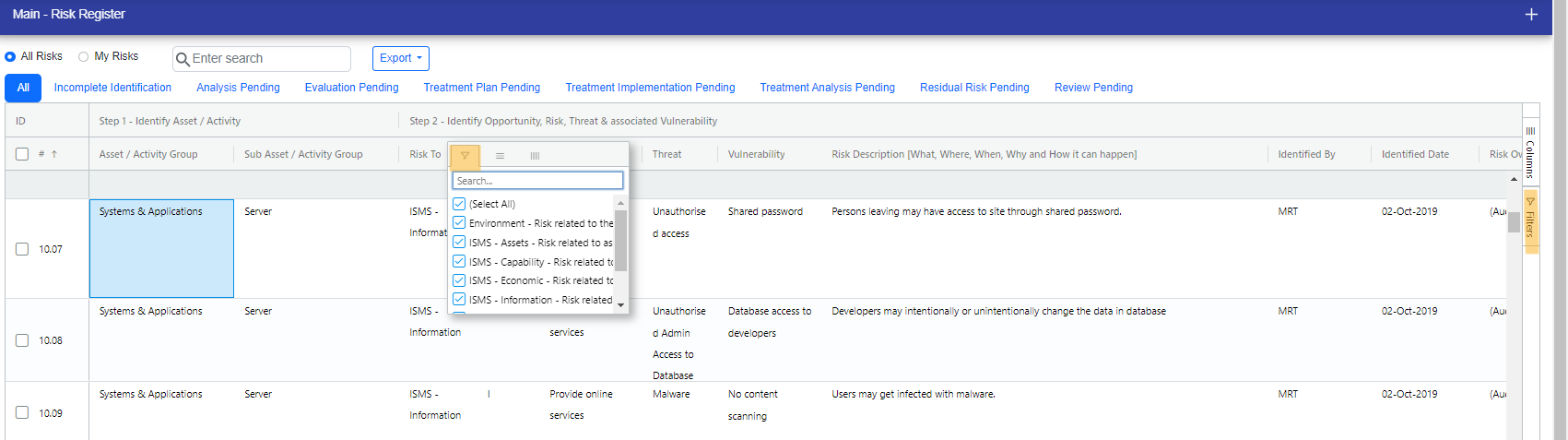
You can select and unselect the columns for the refined view by two ways:
- Click the column option in the right side of the table.
- Click Three Bar Icon present in every column.
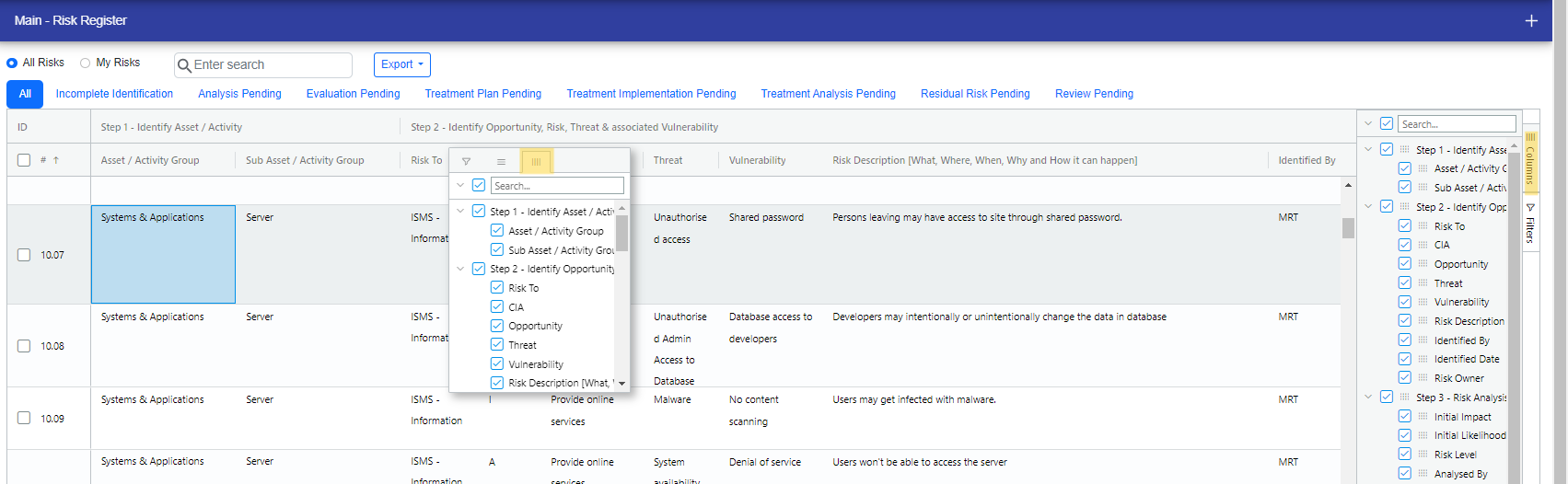
You can Export the list in two ways:-
- 1 CSV
- 2 Excel

You can update two or more controls at a time, follow the steps:-
Step 1: Click the checkbox to select the risk you want to update.
Step 2: Then appears the Bulk Edit button near the Export button. Click the bulk Edit button.
Step 3: Bulk Edit popup appears. click the checkbox to enable the field you want to update.
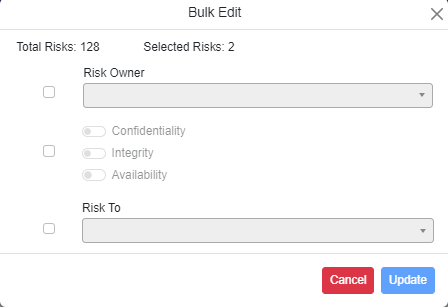
Step 4: Select the values and click Update to save changes.
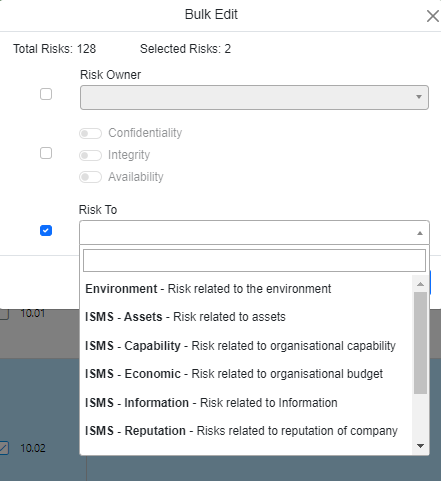
Step 5: You can see all the changes in the following screen.

© Tofrum, 2024 • Updated: 23-4-2024
Comment or report problem with topic
