
 Notifications
Notifications can be sent via email or display risk related notifications can be activated or deactivated based on system level.
Select Settings > System in the menu.
Click on Notifications in the sidemenu. It will open a pop up with following screen(if not active)
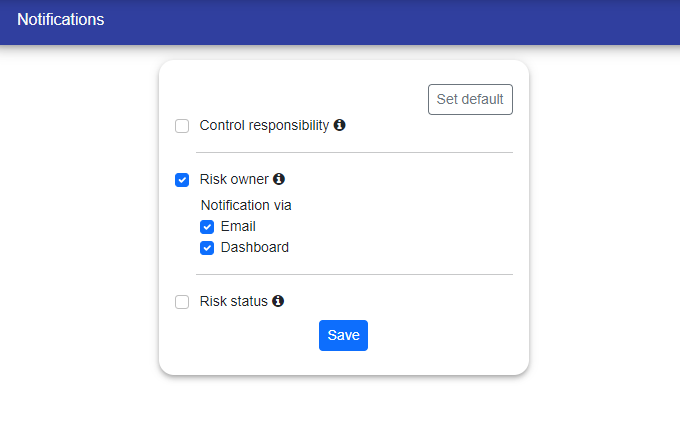
Notifications are quite configurable. The settings can be modified on the dashboard for all users.
As risk goes through various stages, we have provided configuration values for relevant stages.
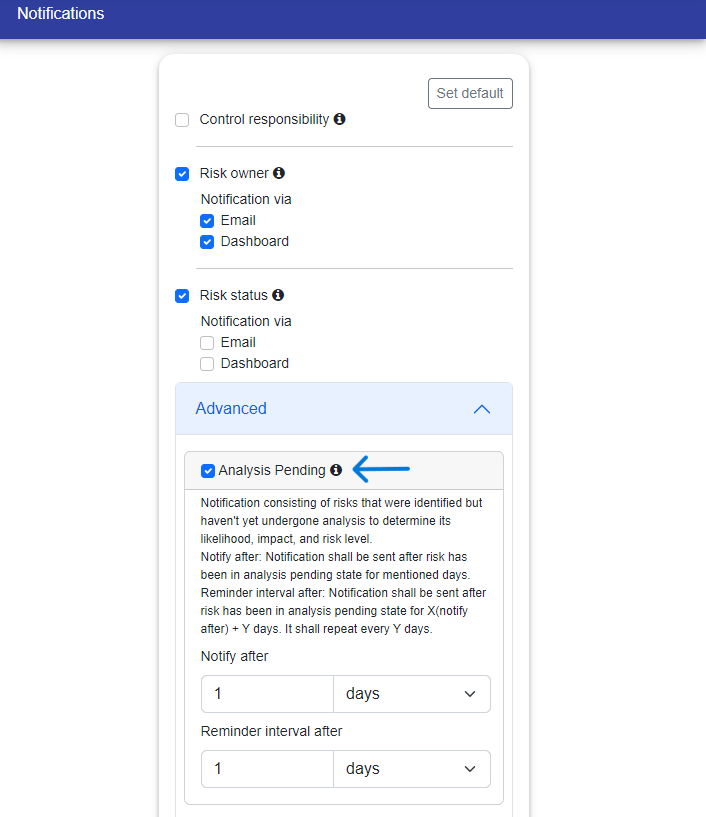
If the risk is in Analysis Pending stage and nothing is being done, it will notify the risk owner after the notify time is over.
It will send a reminder notification based on the chosen time interval.
Similar concept is followed across different stages, except at some place the Risk scale plays a crucial role in deciding the criteria for the notification.
Administrator can switch on/off notification at any stage or change the frequency in months/weeks/days.
The screen for notification will vary based on the setup done for each customer.
Detailed configuration screen with defaults may look as following.

Additionally, You can also view the description of related notification by clicking on info icon.
© Tofrum, 2024 • Updated: 6-5-2024
Comment or report problem with topic
