
 Home Page
Upon logging in, if a user doesn't have access to multiple customers, they will be redirect to the home screen. The Home Screen provides a well-structured and organized overview of applications that are tailored to meet the organization's specific needs for ISO compliance. This setup ensures that users are directed to a centralized hub that aligns with their roles within the organization and facilitates efficient navigation. The key elements of the Home Screen are: :
Modules:
The Module section presents a comprehensive list of applications tailored to address the organization's specific needs for ISO compliance. These applications include:
- Assets Management : A dedicated tool for managing and monitoring organizational assets in accordance with ISO requirements.
- Document Management : A robust system for efficient organization, storage, and retrieval of documents, aligning with ISO standards.
- Legal & Other Requirement Management : An application designed to effectively manage and track legal and regulatory obligations as per ISO guidelines.
- Organization Chart : A visual representation of the organizational structure that complies with ISO standards for clarity and transparency.
- Problem Management : An application focused on identifying, analyzing, and resolving issues in line with ISO best practices.
- Record Management : A centralized system for systematic and secure storage, organization, and management of records, ensuring ISO compliance.
- Risk Management : An application facilitating the identification, assessment, and mitigation of risks in alignment with ISO guidelines.
- Supplier Management : A tool for managing and monitoring supplier relationships and ensuring compliance with ISO requirements.
- Training Management : An application designed to track and manage employee training programs and certifications, meeting ISO standards.
System : The System section provides access to system records that contribute to the smooth operation of the applications
Admin :
The Admin section is exclusively accessible to users with the Sys Admin role. This section provides an array of administrative tools and controls to manage user accounts, system configurations, security settings, and other administrative tasks.
By presenting these elements on the Home Screen, users can navigate through the organization's ISO-aligned applications, access relevant features, and fulfill their roles while adhering to ISO compliance standards. This interface not only promotes efficient ISO management but also enhances user productivity, ensuring a unified and consistent approach to ISO compliance throughout the organization.
Module Access:
The page displayed below is exclusively accessible to users who have access to more than one module.
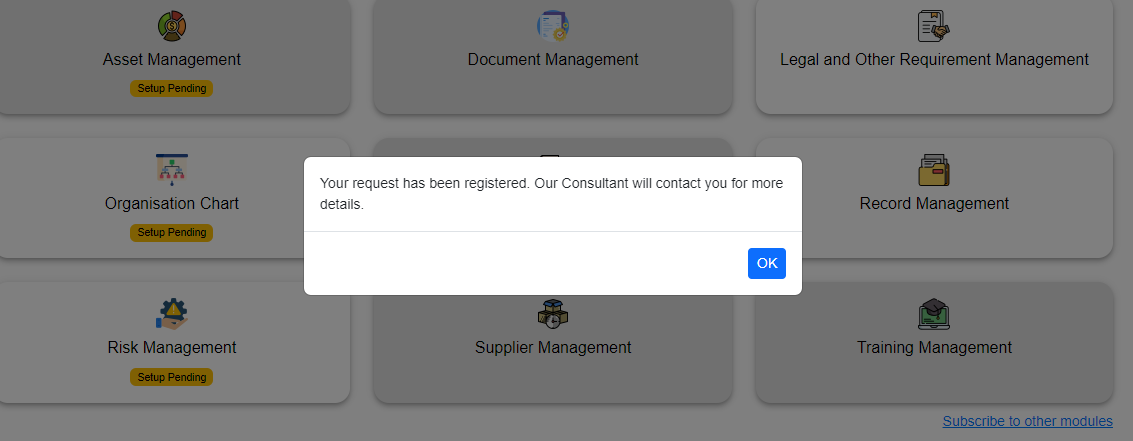
Users with access to different modules will notice a visual distinction: modules with access are displayed on white cards, while modules without access appear on grey cards.
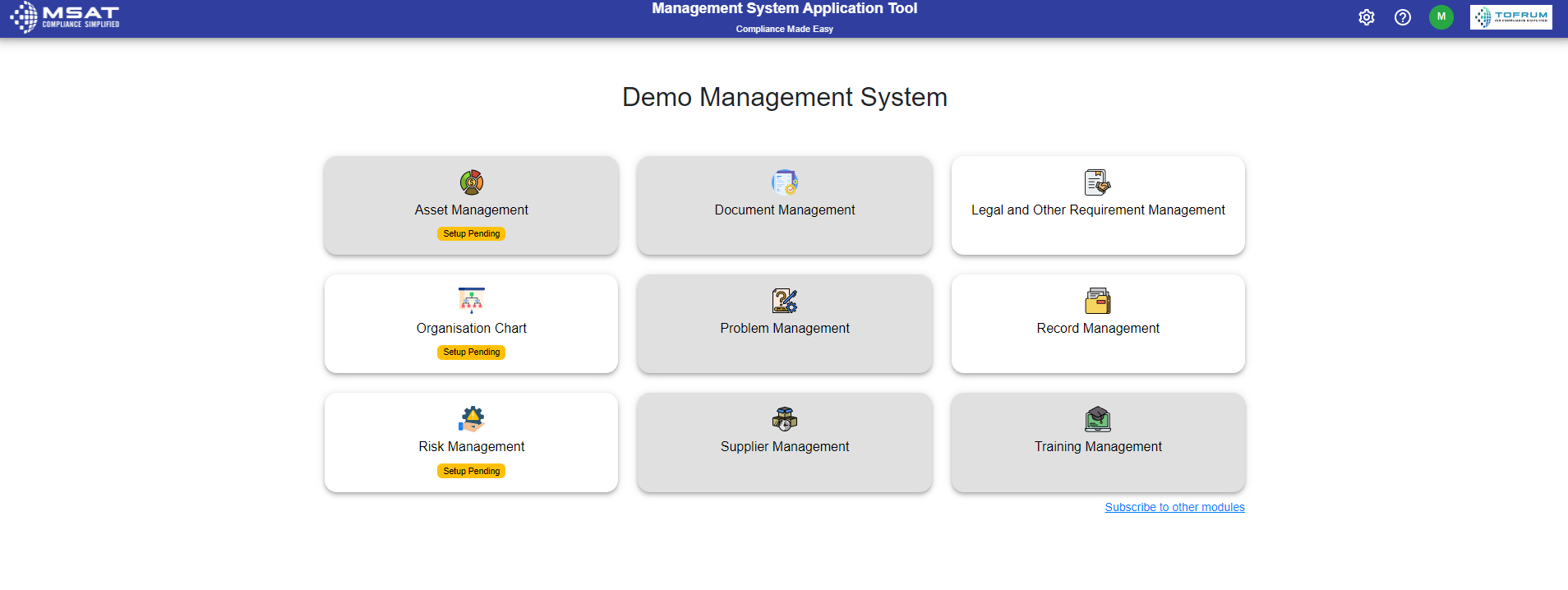
There is a Setup-peding tag that indicates that the status is pending for a module.
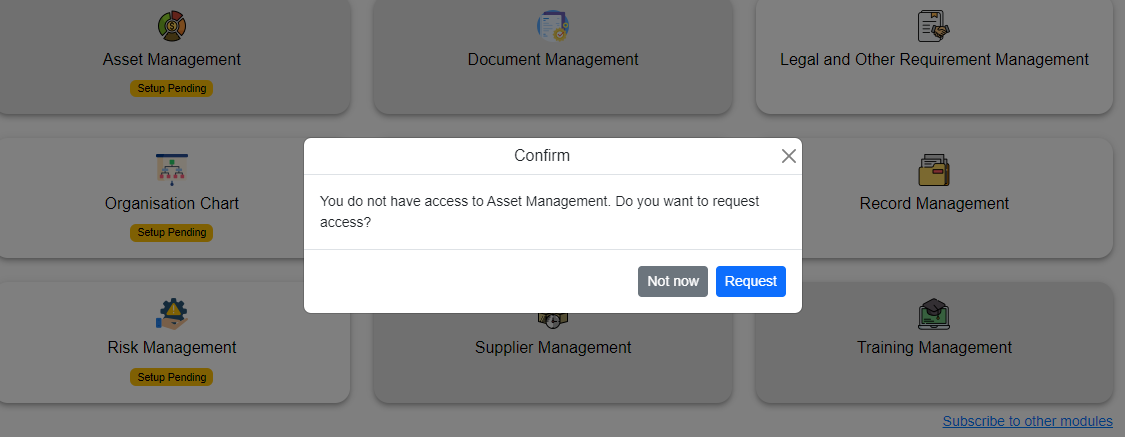
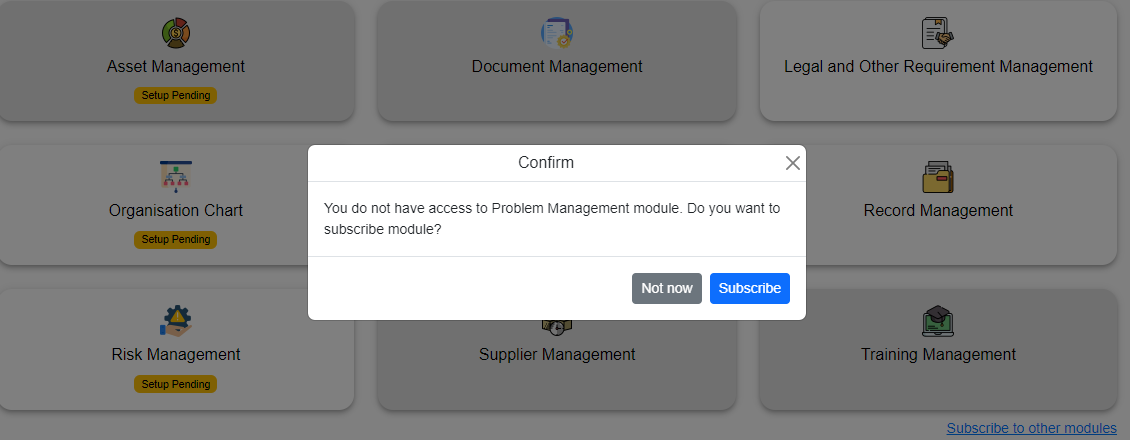
Grey card indicates that either the customer hasn't subscribed to that module or the user doesn't have access yet. By clicking on the grey card, a popup will appear with further information accordingly.
Subscription:
There is a subscription link available at the botton right corner of the card which displays the subscribed and unsubscribed modules. After clicking on the subscription link, you can see which modules are not subscribed by this customer or which modules the user doesn't have access to. An email will be sent to the sales team upon subscription.
If you check the checkbox of a requested module, an email will be sent to the managers or module and customer admin for further action.
Please note that only customer admin and managers can subscribe modules.
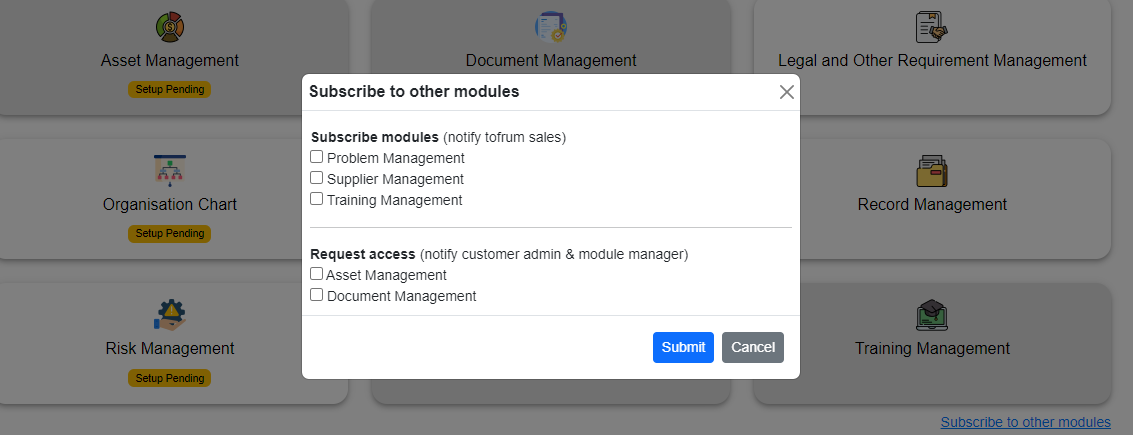
After selecting the module which you want to subscribe or request access for modules, a popup will appear which indicate the further process.
© Tofrum, 2024 • Updated: 23-4-2024
Comment or report problem with topic
