
 Admin
Admin
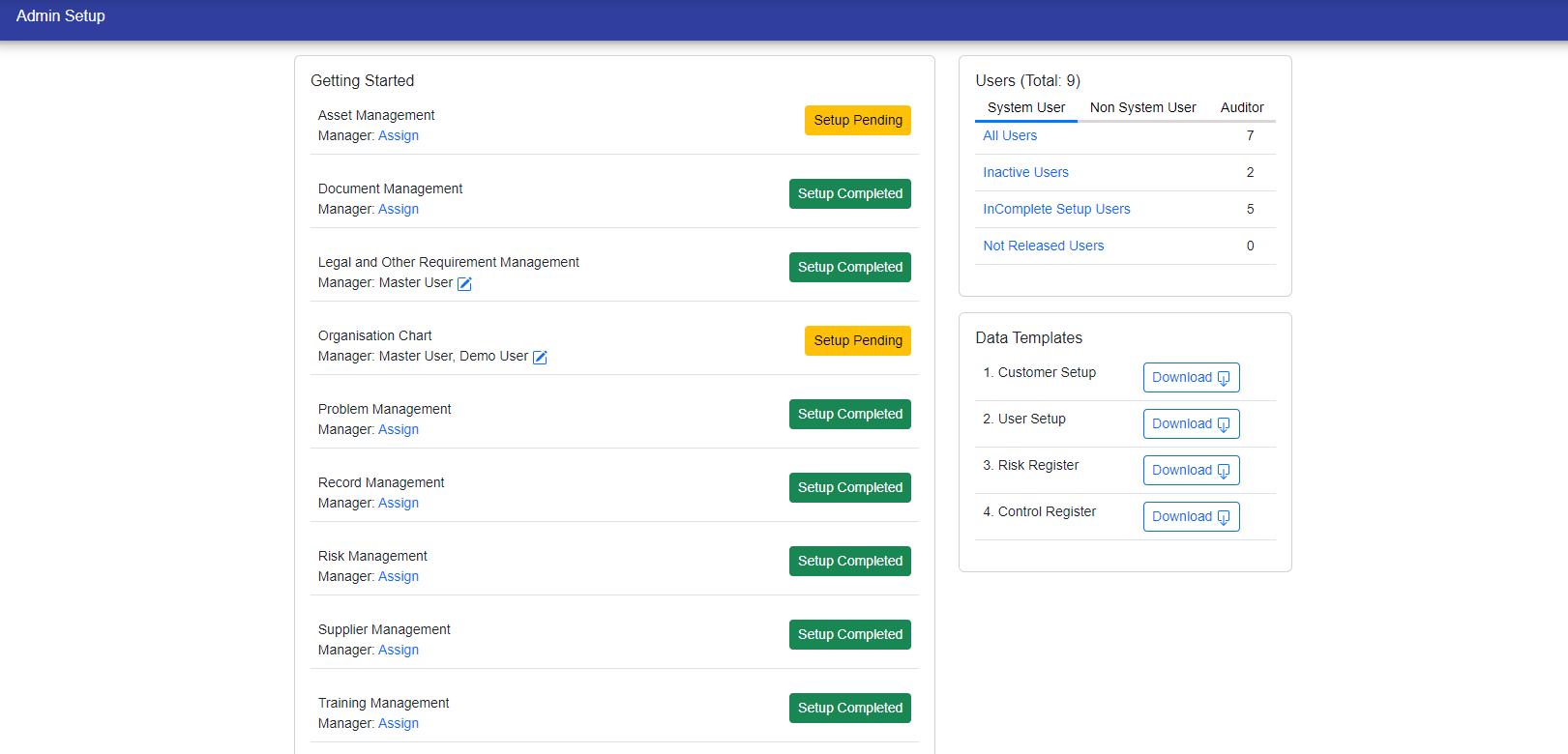
In the Admin Section, you can easily view information about users, including their role as a manager and the assigned module. You also have the option to filter users based on categories like System User, Non-System User, and Auditor. Simply click on the links provided in the Total Users card.
Moreover, this section provides the flexibility to update user information as required.
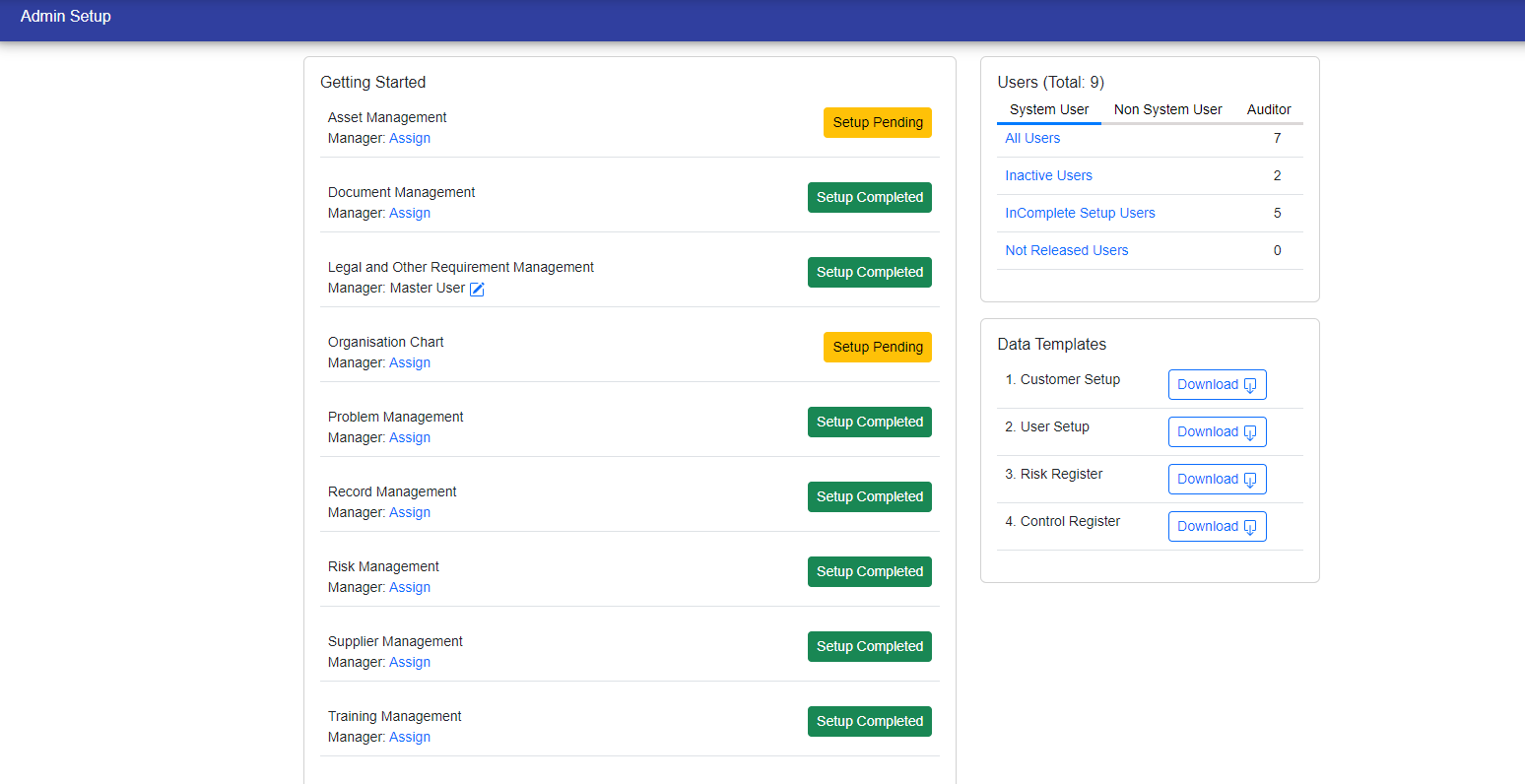
The manager can be assigned by the admin based on their module.
Click on "Assign" and select the user.
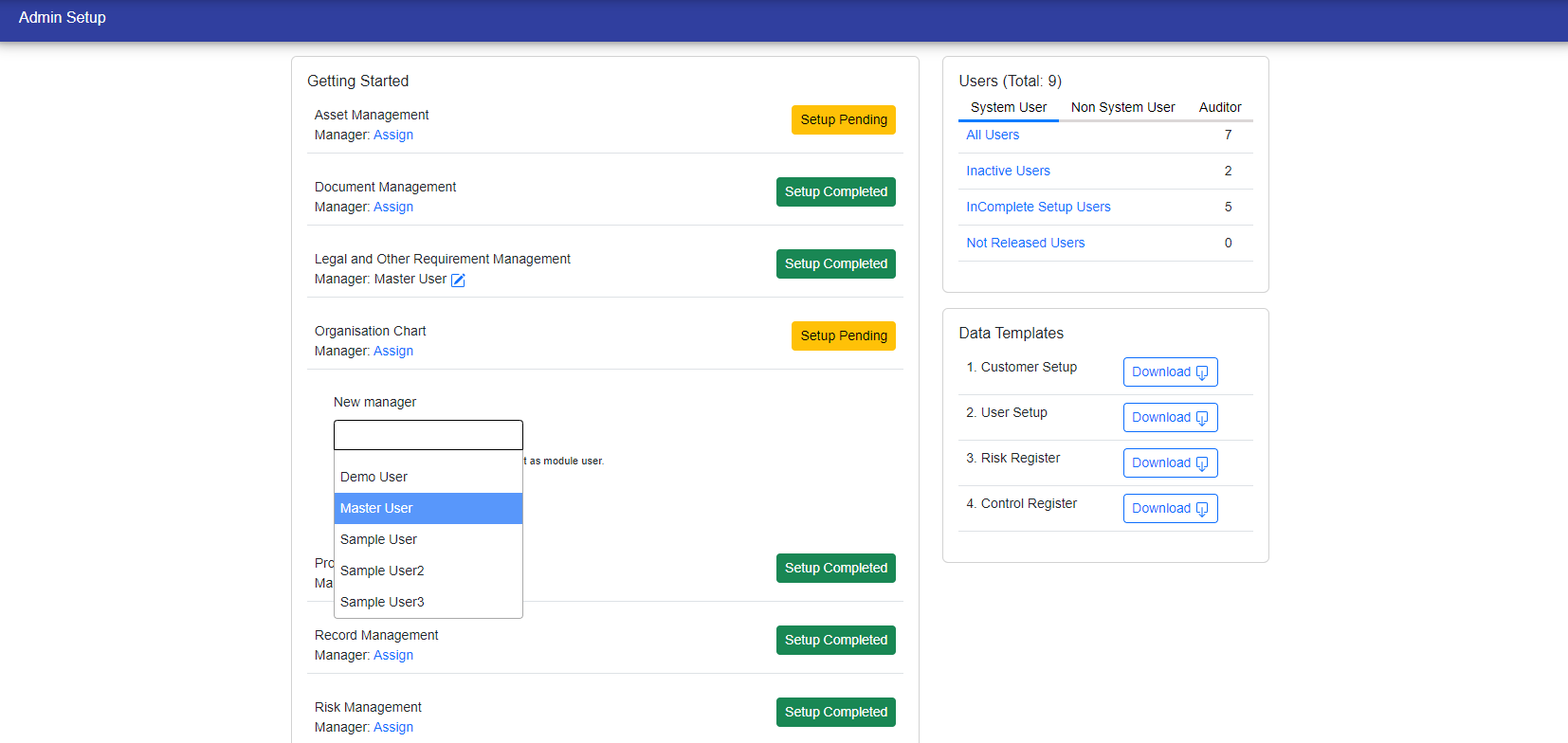
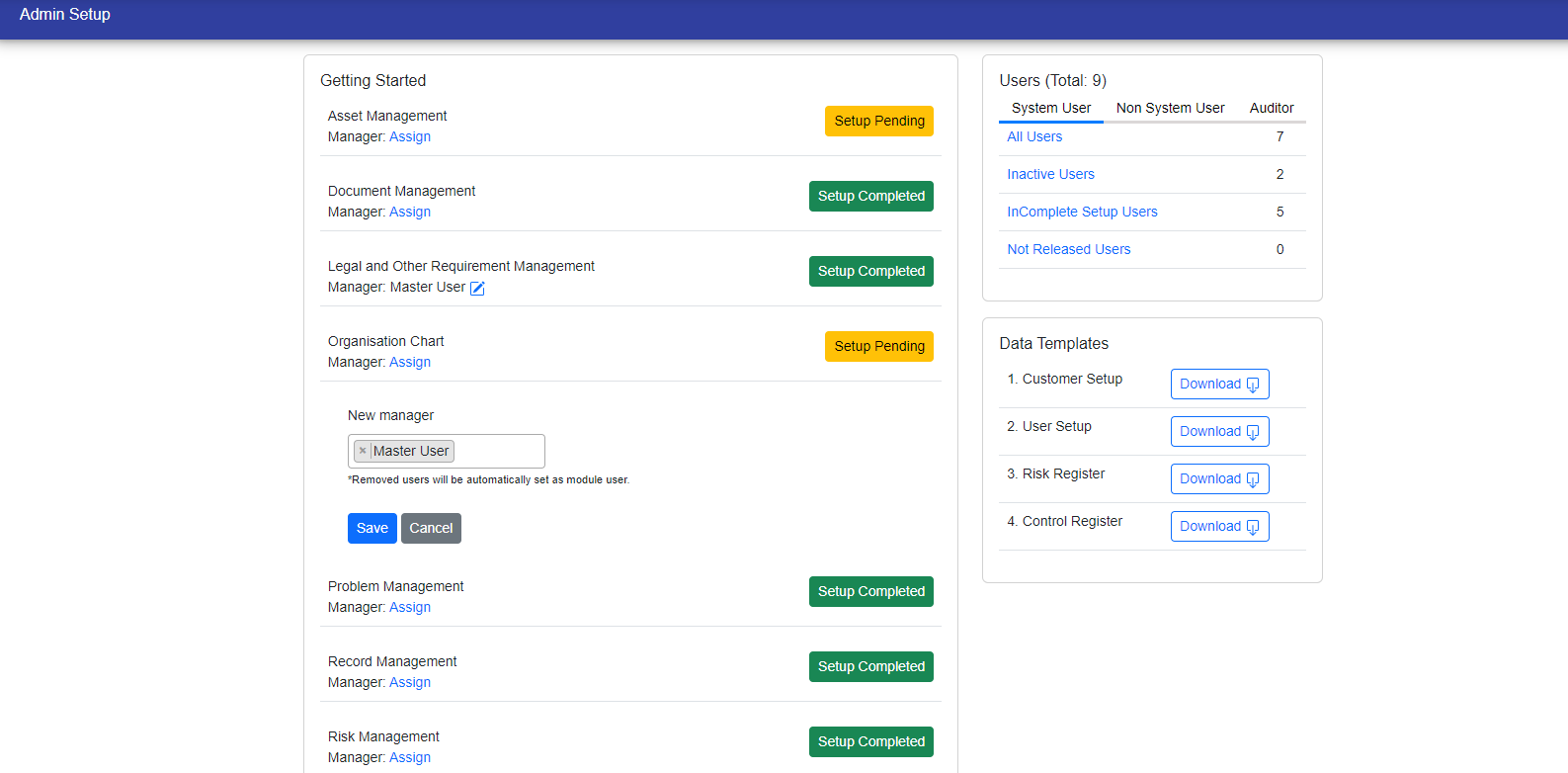
Admin can also assign multiple manager of module by clicking on edit button and can remove manager.
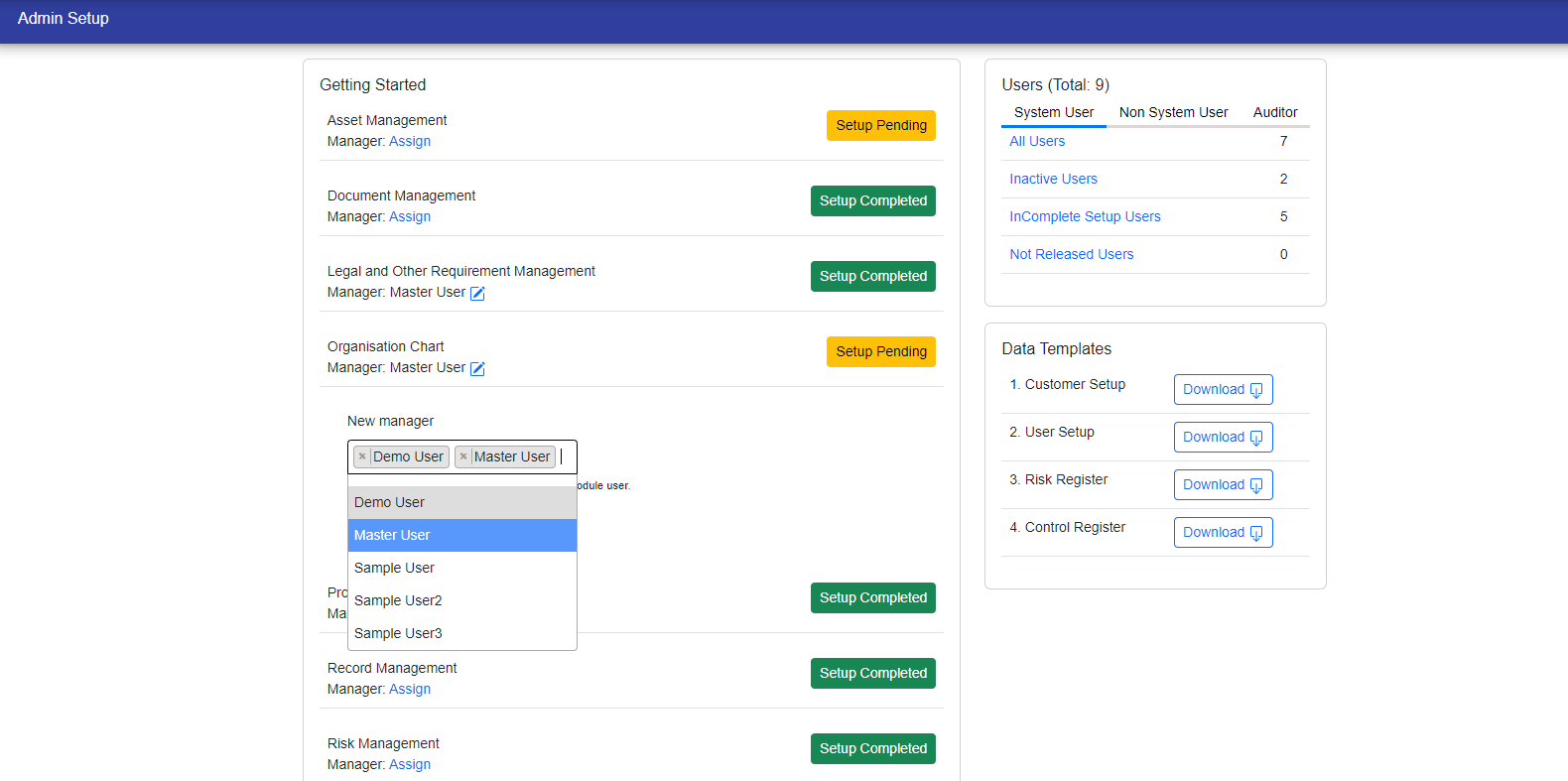
Click on save button to save the changes then you can see the new manager's of module.
© Tofrum, 2024 • Updated: 13-4-2024
Comment or report problem with topic
