
 Non System User
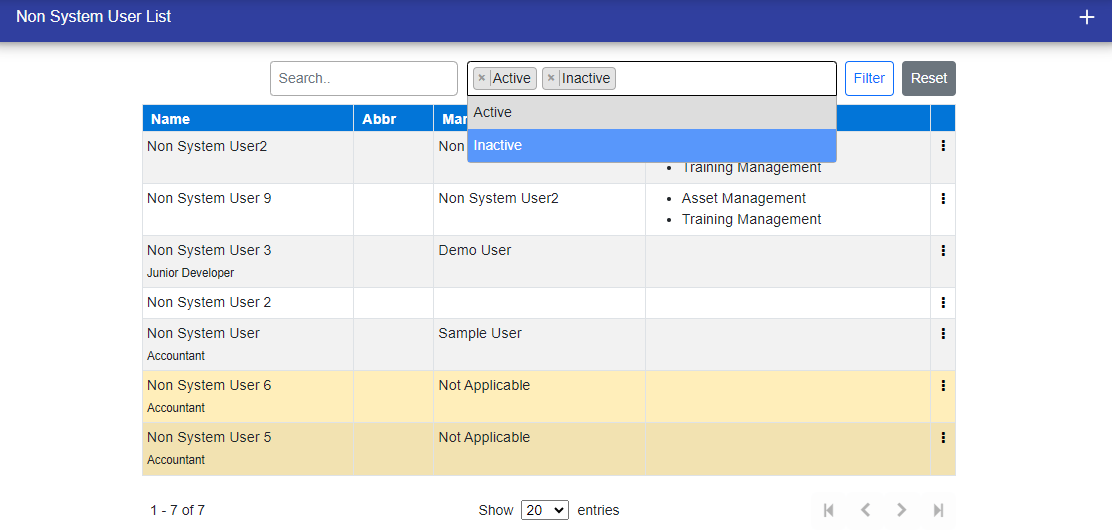
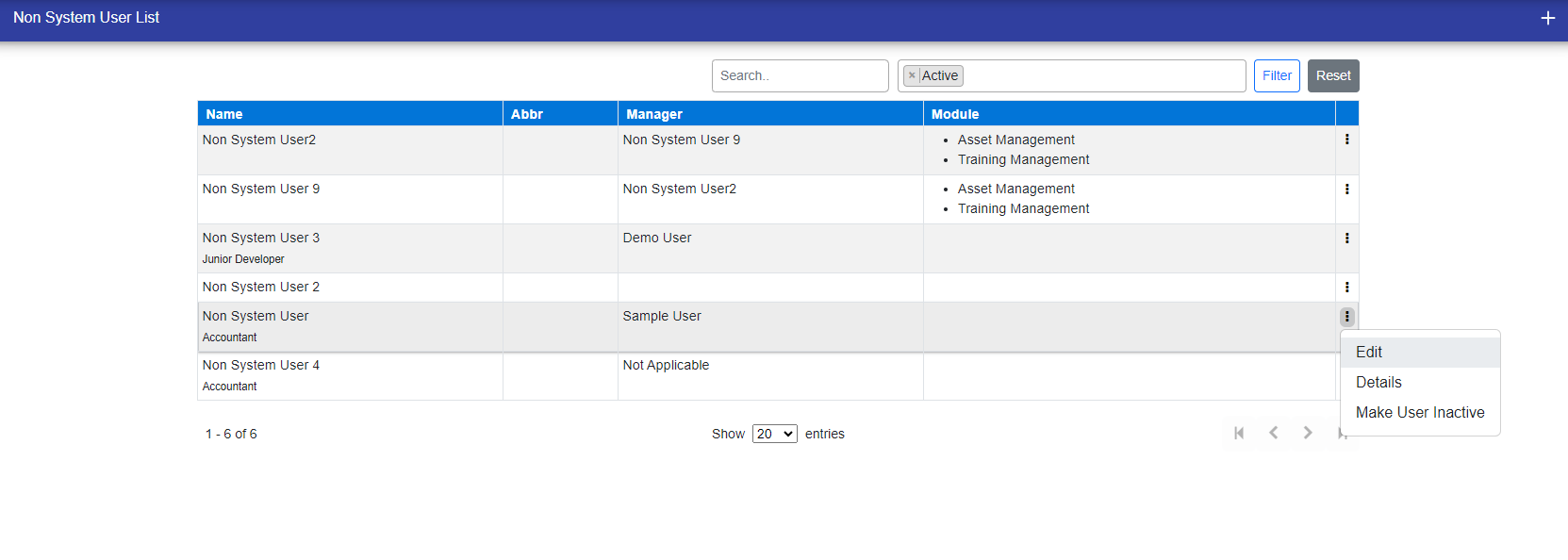
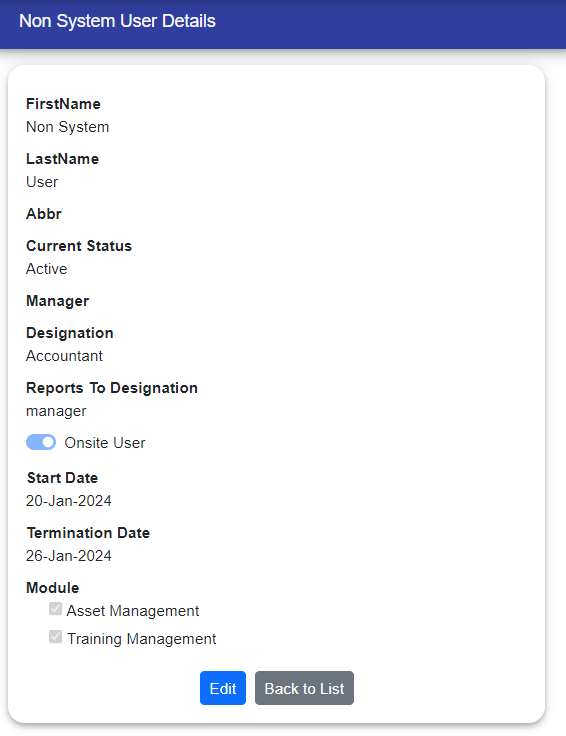
In the non-system user section, you'll see users who do not have login access to MSAT as a user. The Sys Admin can:
- View, Add, Edit: non-system users
- Delete: non-system users

You can also filter non system user based on your needs.
- Active users
- Inactive Users
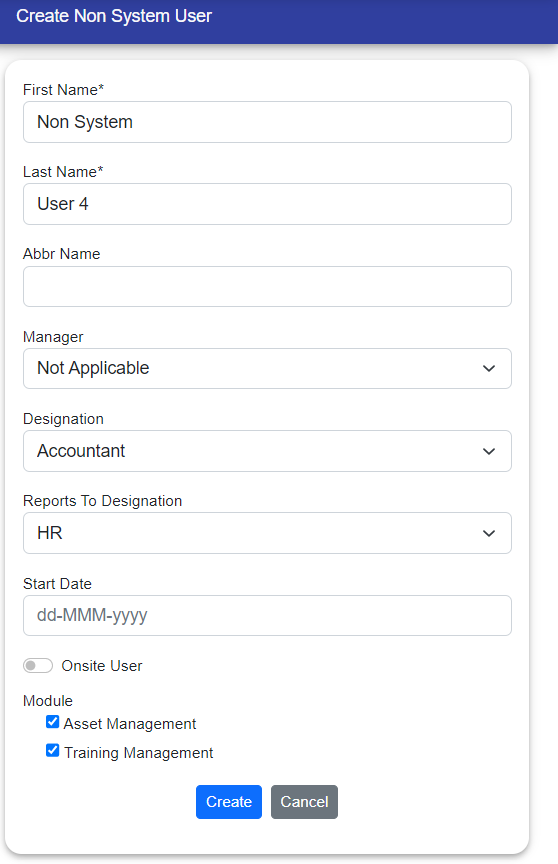
Adding Users:
- Click the plus (+) icon in the top right corner.
- Only Sys Admin can add non-system users.
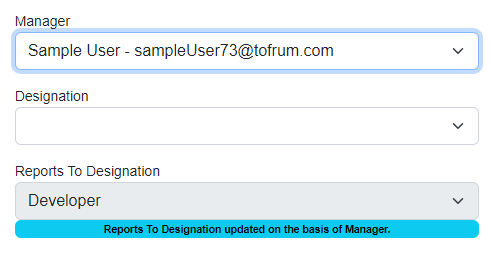
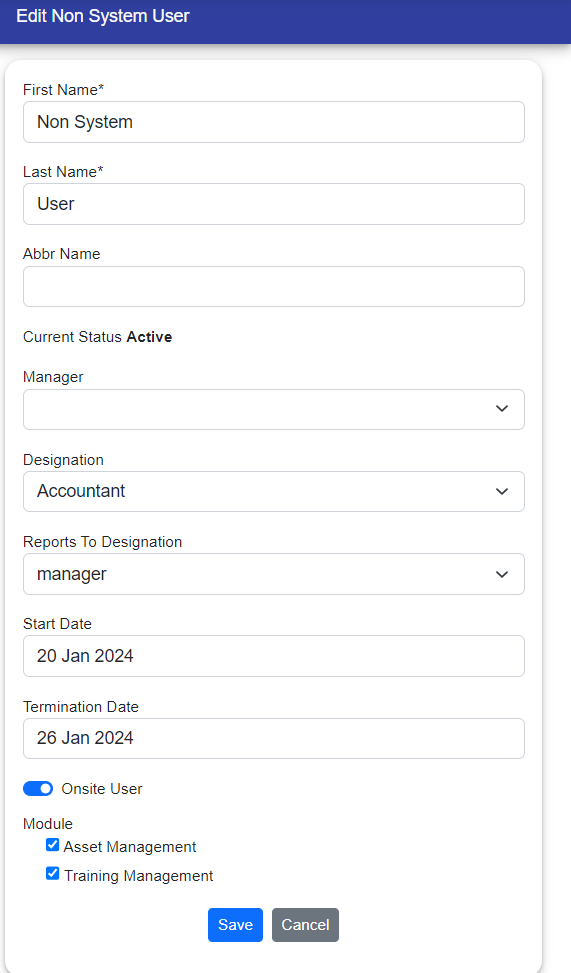
Additionally, If you select "Manager" of user then its "Reports to Designation" automatically updated according to manager Designation.
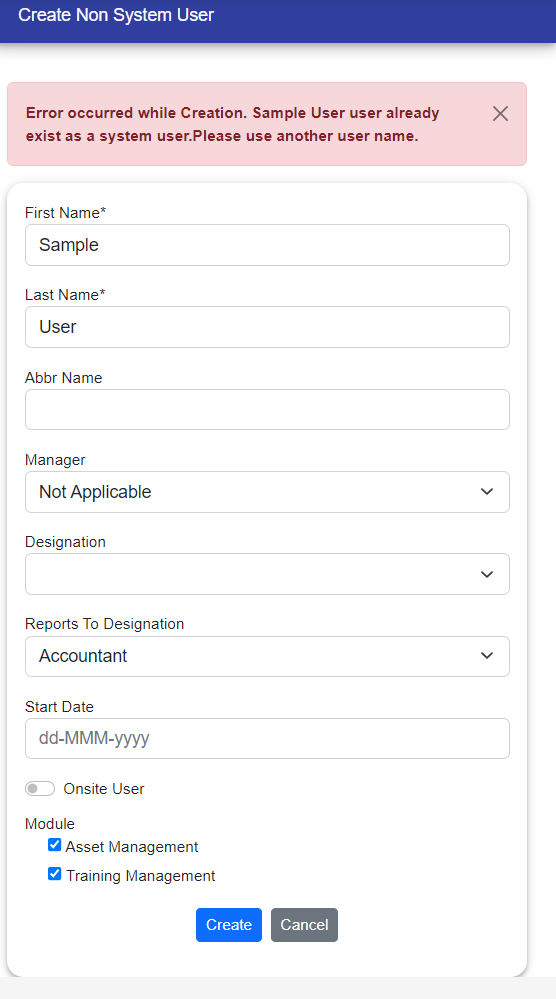
Create Duplicate User: When creating a user, if the firstname and lastname is similar to the non system users firstname and lastname then it will give an error message and the user will not create.
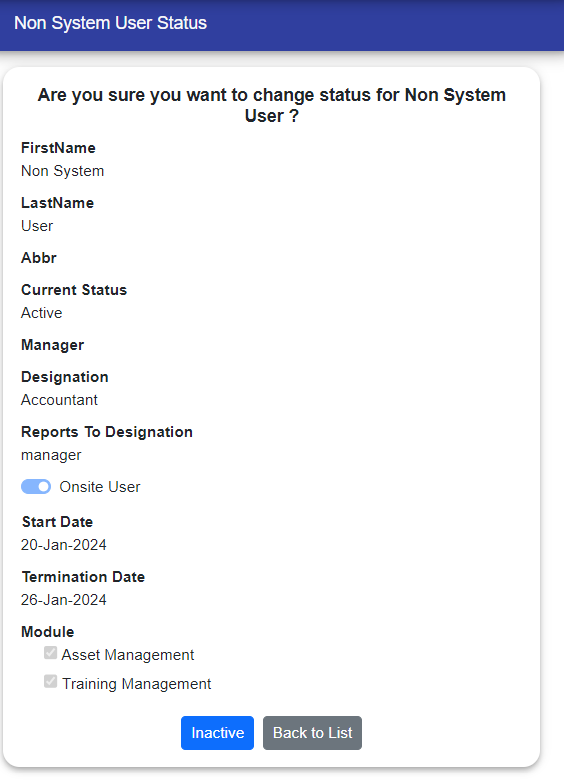
Activation:
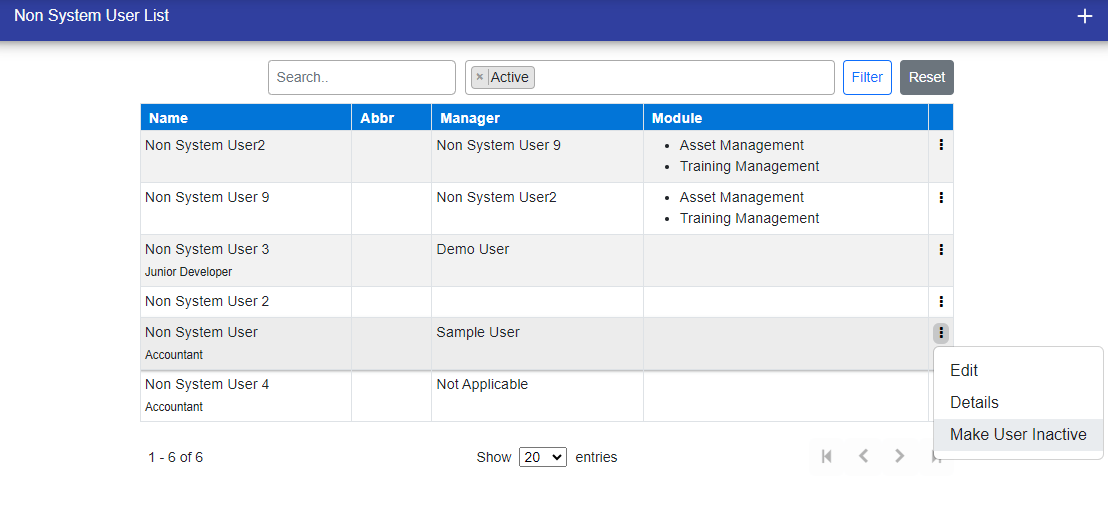
- Sys Admin can make users Active/Inactive.
- Access via three dots on the right > Make User Active/Inactive.
© Tofrum, 2024 • Updated: 24-1-2024
Comment or report problem with topic
