
 Application Management
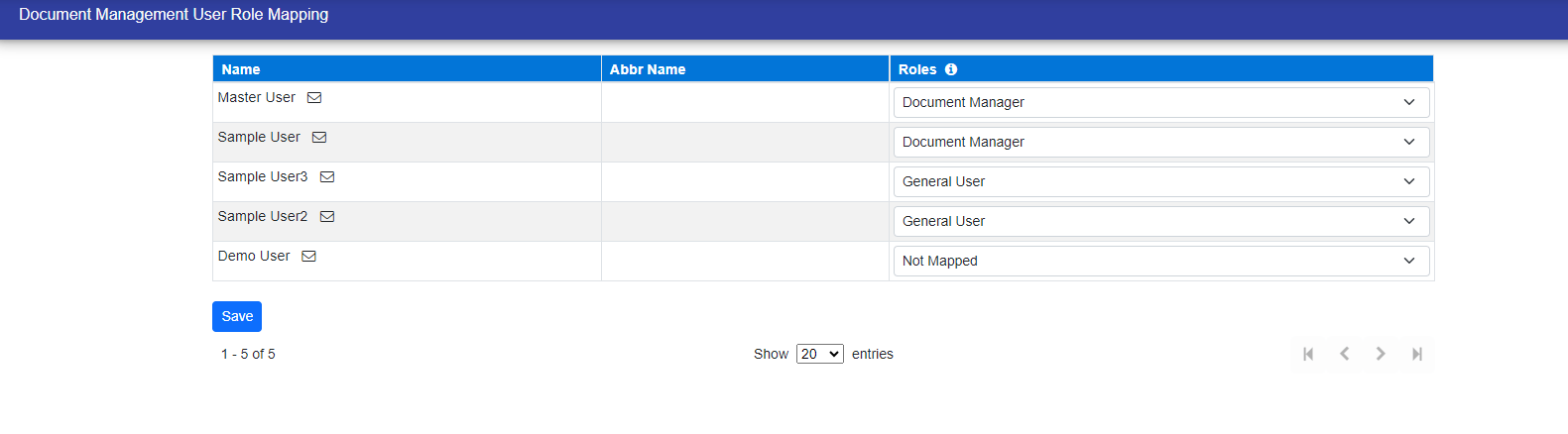
The Module User Role section serves to define the roles assigned to users for each Module. Additionally, this functionality allows users to be designated as managers for the module. For users requiring specific roles, a dropdown menu in the 'Roles' column provides the option to select the desired role.
Below is a sample that illustrates the utilization of this functionality, using Document Management as an example.
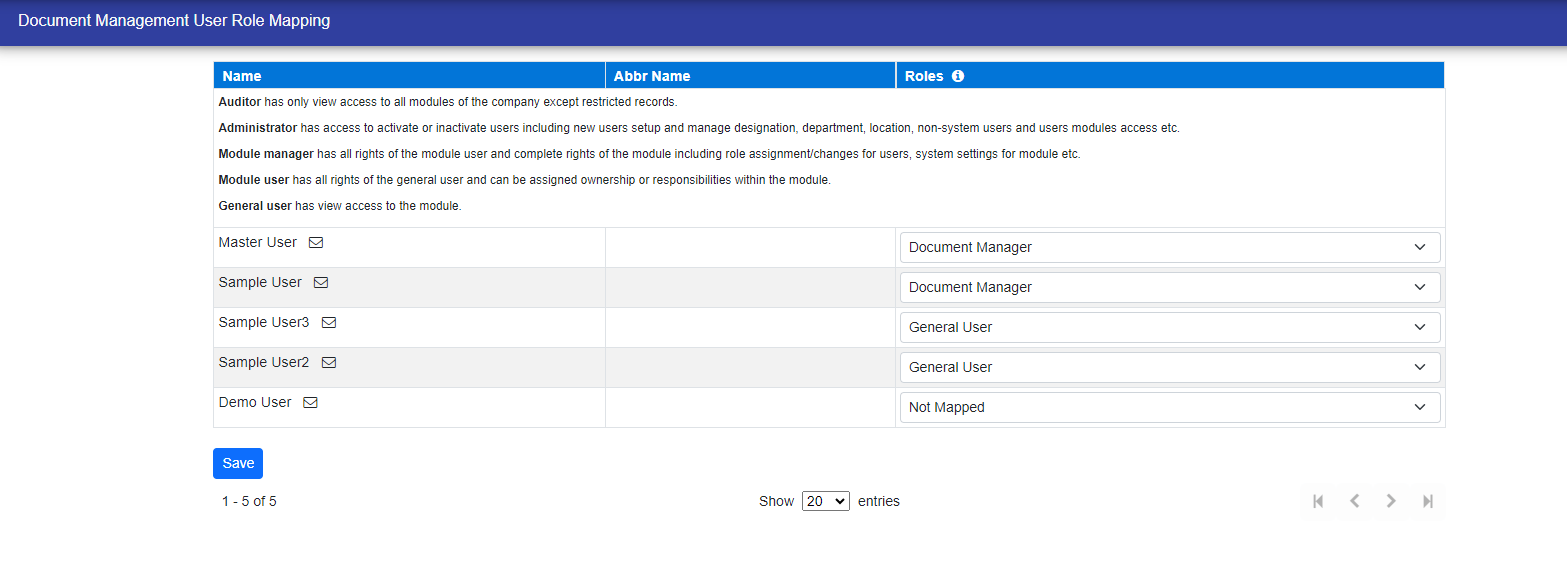
By clicking on the info icon, you can view the user's role description.
© Tofrum, 2024 • Updated: 10-4-2024
Comment or report problem with topic
