
 Dashboard
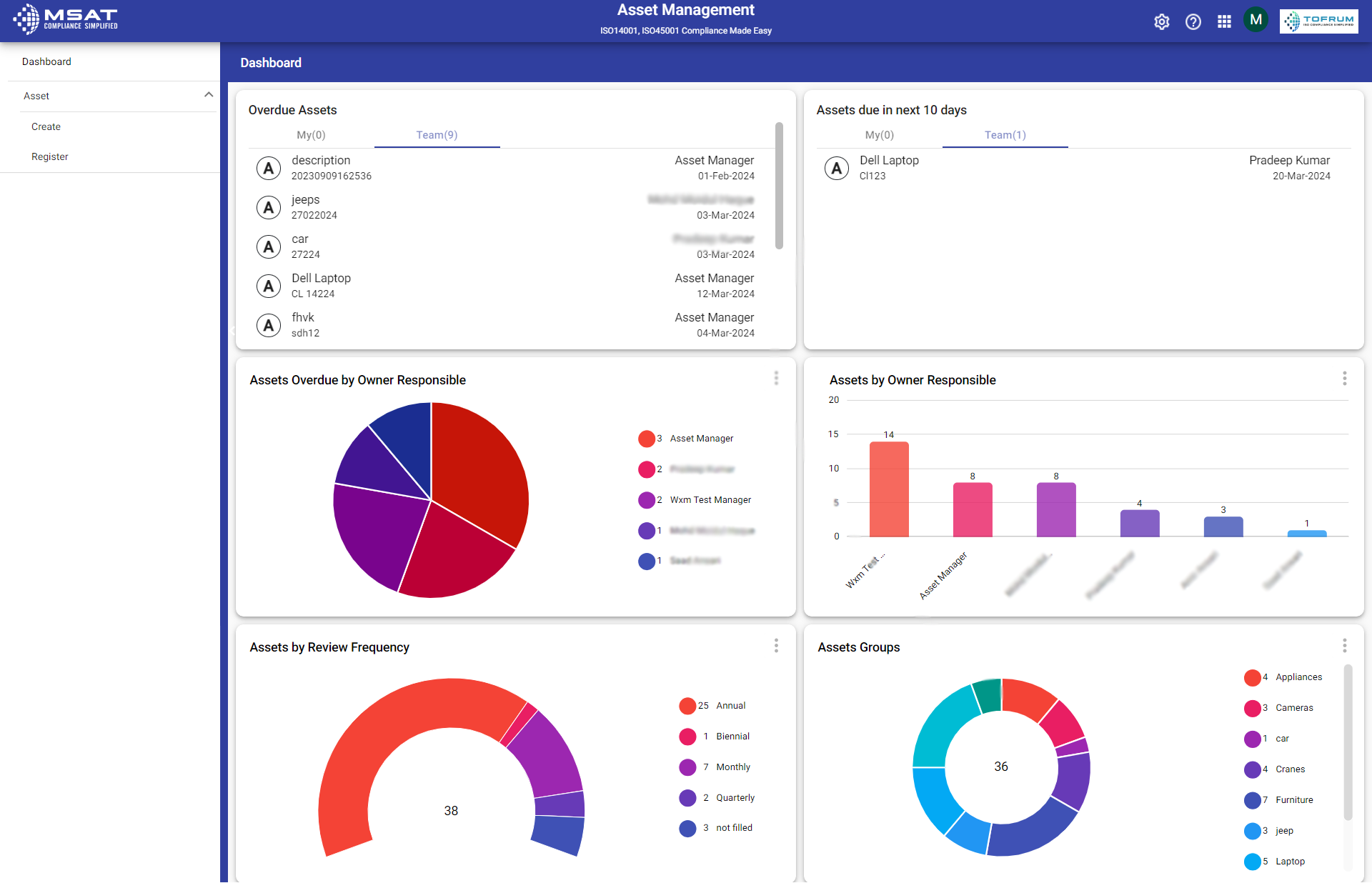
In the dashboard, users can have a comprehensive view of the entire flow and records, which makes it easier for them to track assets that are pending review and determine the owners of specific asset groups. This clear view enables efficient management of the records, allowing users to effectively oversee and handle the asset management process.
- Overdue Assets : Shows the list of Overdue Assets.
- Assets due in next 10 days : Shows the list of Assets that are to be reviewed within 10 days.
- Assets Overdue by Owner Responsible : This section highlights the number of overdue assets associated with each assigned owner, providing an overview of the pending tasks for owner managed by different team members.
- Assets by Owner Responsible : It lists the Assets assigned to specific team members, indicating which team member is responsible for managing each Assets.
- Assets by Review Frequency : This section categorizes Assets based on their review frequency, indicating how often their performance or status needs to be reviewed.
- Asset Group : Asset group specifies which category or department an asset belongs to, providing clarity on its technical placement
The My section indicates the assets assigned to the logged-in person, while the Team section indicates those assets assigned to other users.
© Tofrum, 2024 • Updated: 19-3-2024
Comment or report problem with topic
