
 Compliance status
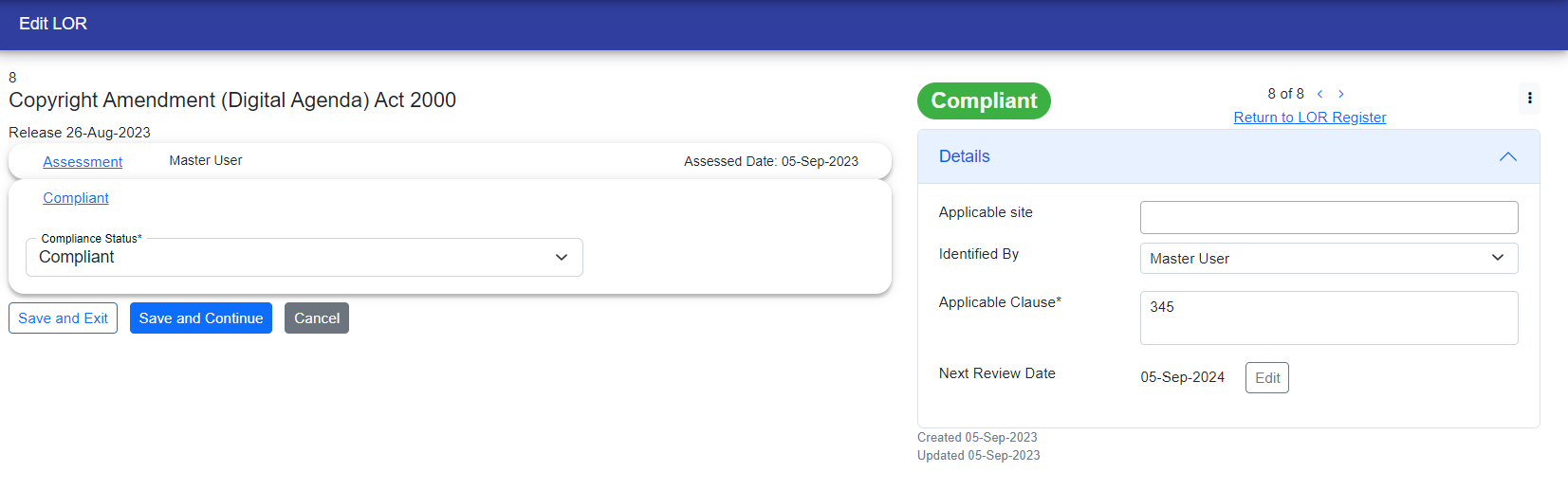
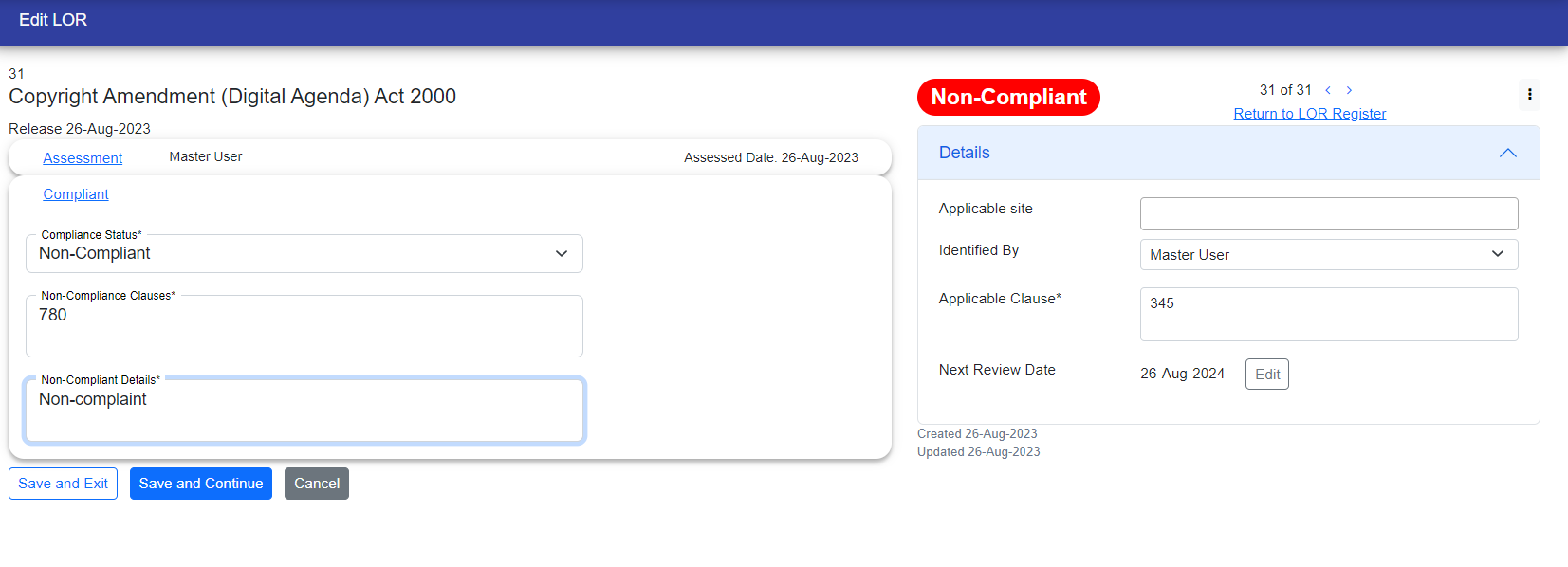
In the compliance status section, you need to select whether the LOR is compliant or non-compliant. If it's compliant, the necessary steps are considered complete. However, if it's non-compliant, you have to follow some more steps to make the LOR compliant.
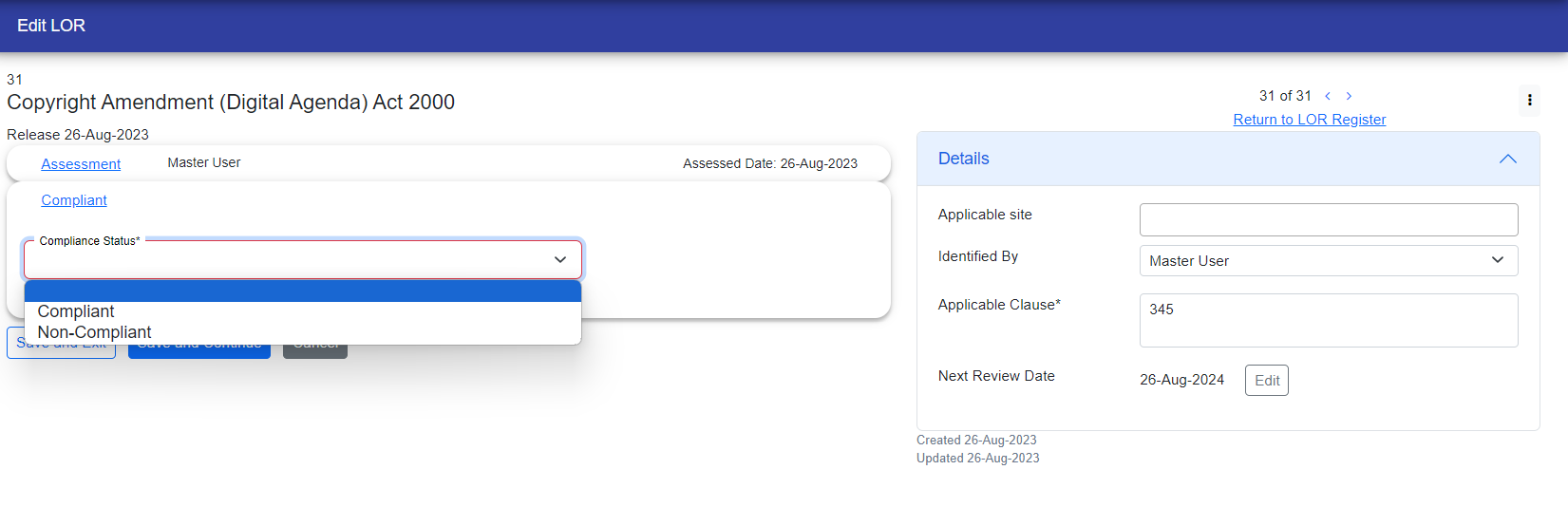
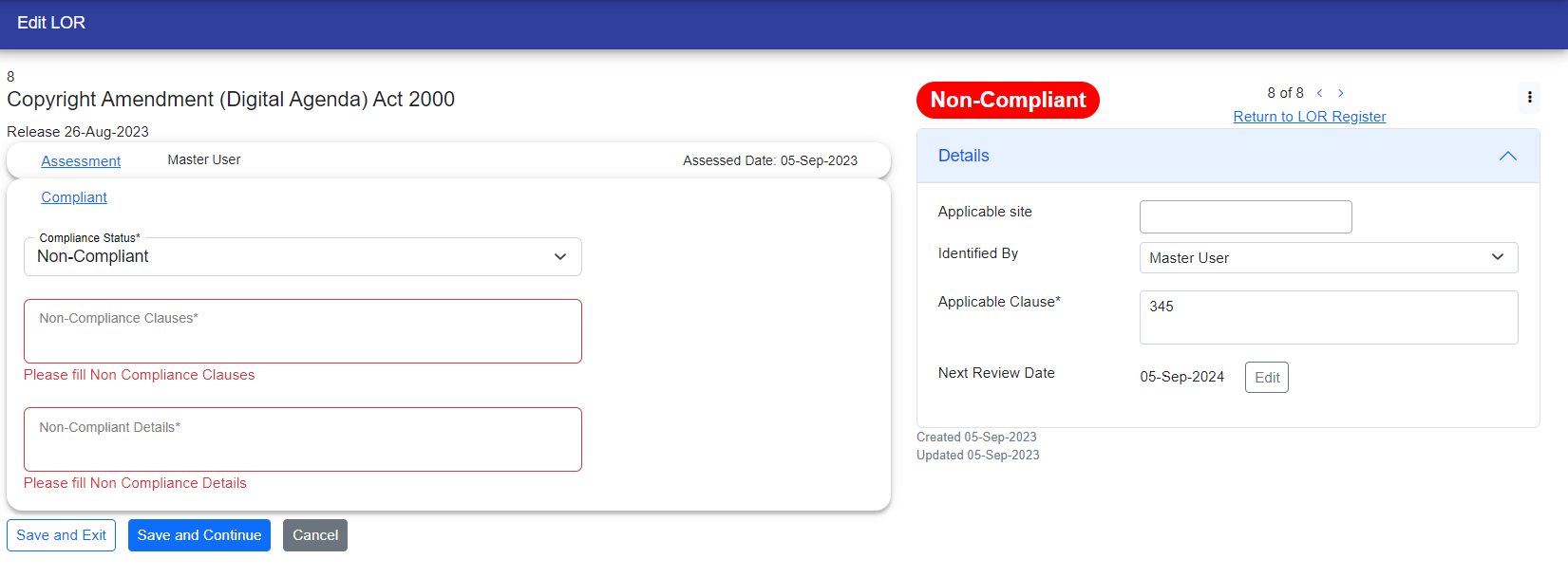
If the LOR is compliant, its status will be displayed in green color in the upper right corner. If it is non-compliant, the status will appear in red color in the same location.
Once the non-compliance status is filled out, the user will encounter required fields marked with a red border. Alongside these fields, there will be a message indicating that they must be filled out before continuing.
Note: If problem manager is not there in the customer, then LOR approval step does not appear.
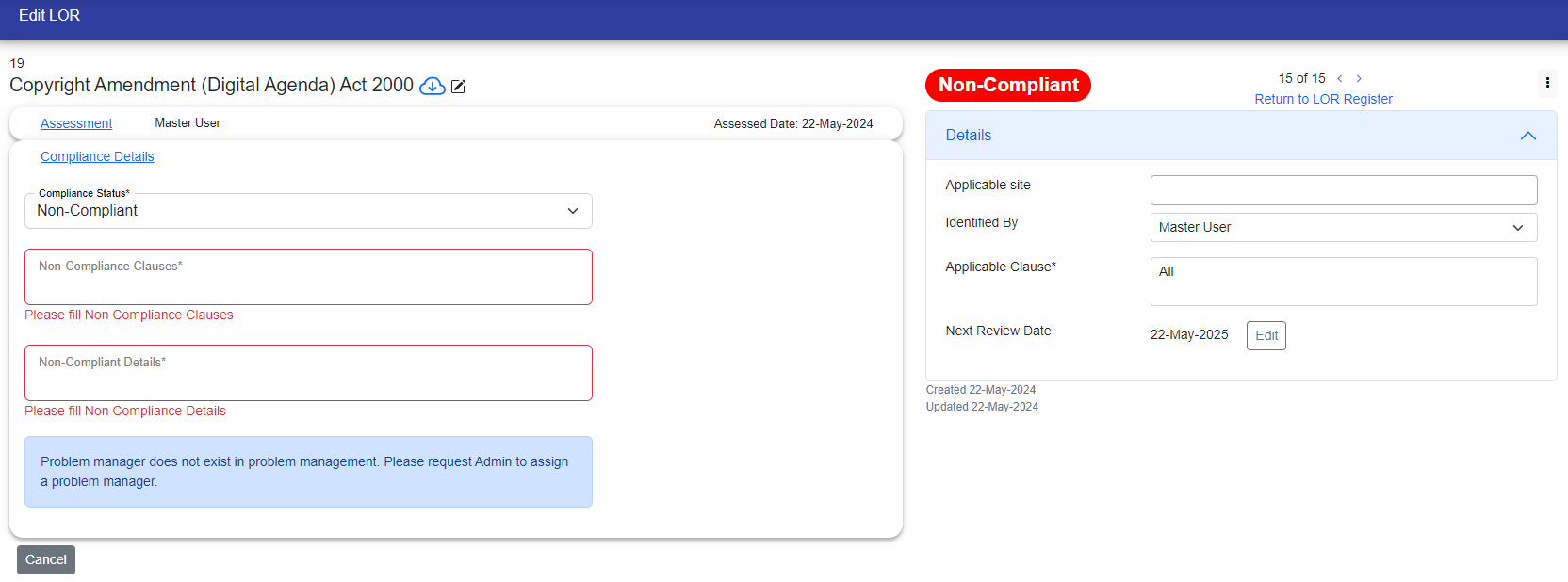
Now you have to fill non-complaint clauses and non-complaint details to complete this step.
© Tofrum, 2024 • Updated: 23-5-2024
Comment or report problem with topic
