
 Implementation
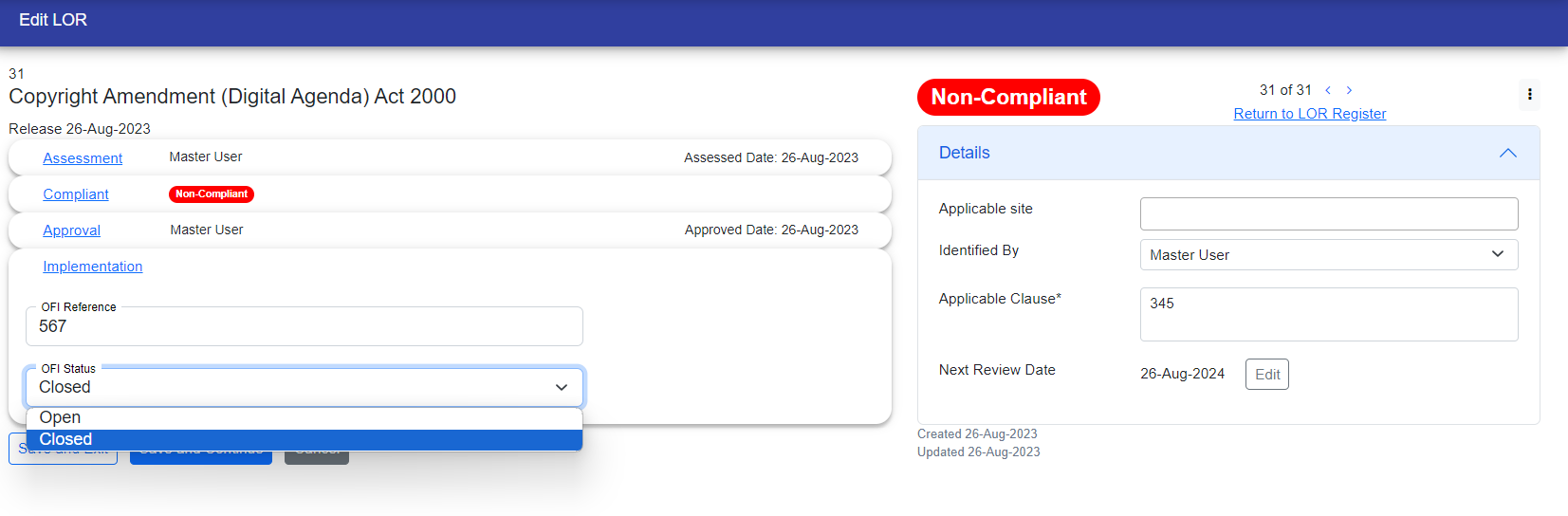
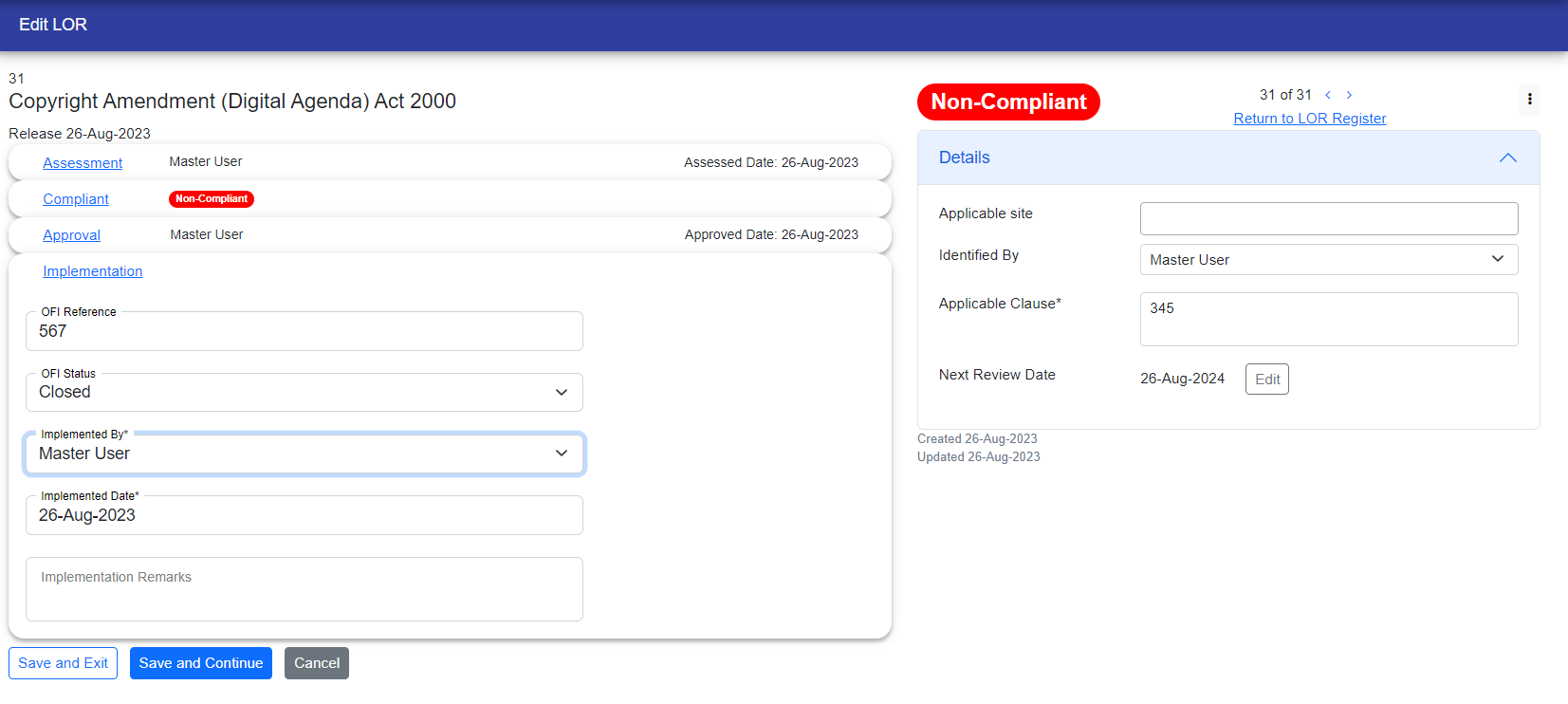
During the implementation stage, you need to provide OFI references and choose the status for OFI. If you select "open," the OFI is in working. However, if you choose "close," you must enter the next steps.
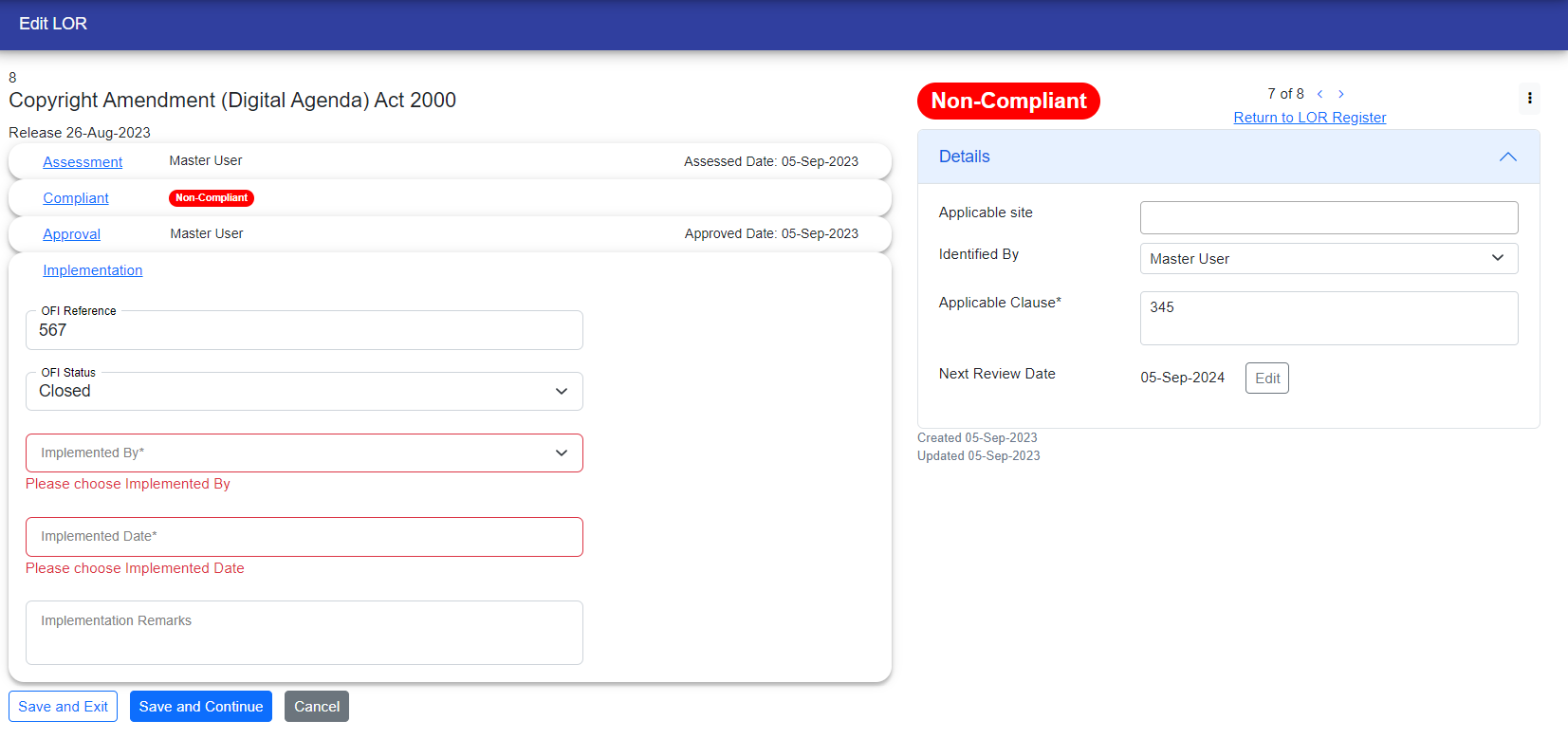
After chosing the close you have to fill out the required fields that is "Implemented By" and "Implemented Date" which appear with red border and with some messages.
If you have problem management access, OFI will be generated automatically. Clicking on a link will redirect you to the corresponding OFI, which will also be displayed in the LOR register page under the OFI ID column. 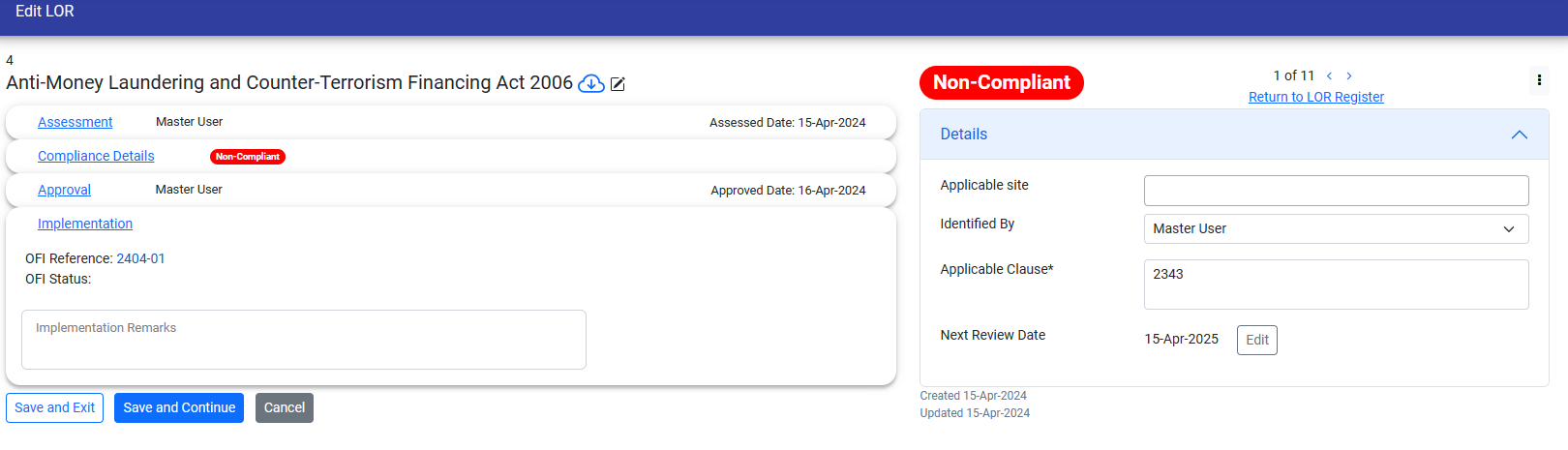

You have to close the corresponding OFI from problem management module, and then the status will automatically become visible here.
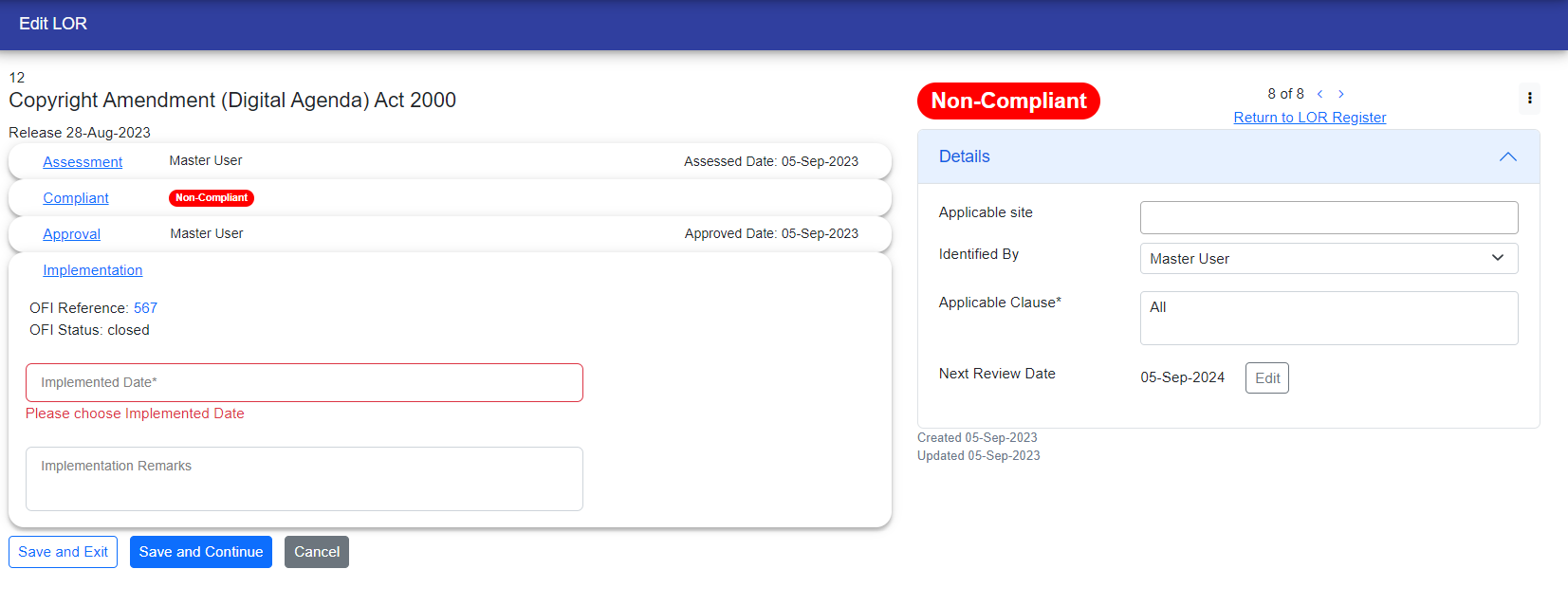
Otherwise, If you don't have access to problem management module, you need to provide the OFI reference and OFI status instead.
© Tofrum, 2024 • Updated: 23-4-2024
Comment or report problem with topic
