
 Compliance Color
In the Compliance Color section, you can change the "Font" color and "Background" color of complaint and non complaint status.
Additionally,
you can also select specific users for the approval authority, ensuring that only those users have authority to approve non compliant LORs.
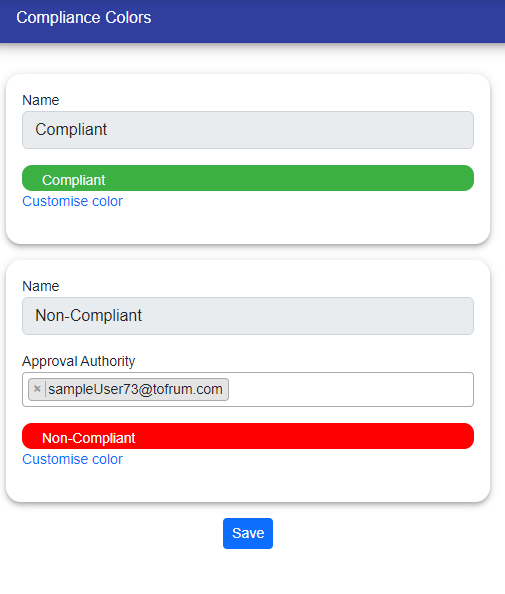
To customize colors, click on "Customize Color." This will allow you to change the colors for both compliant and non-compliant status according to your needs.
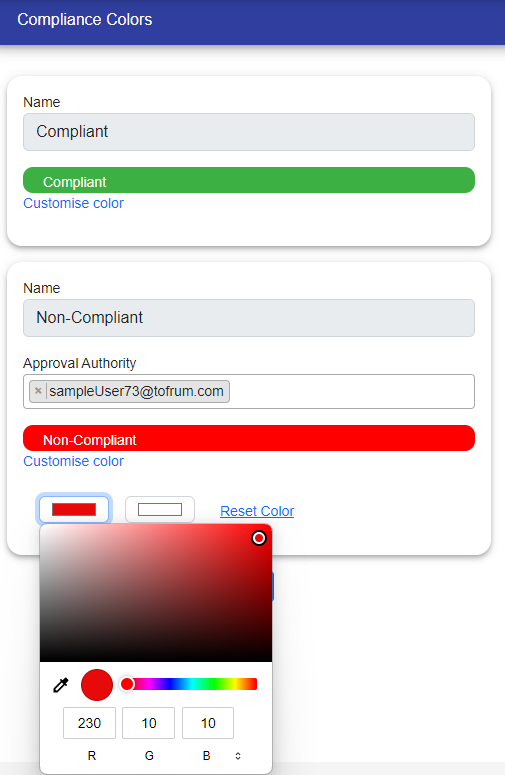
If you wish to revert to the previous colors, simply click on "Reset Color," and the colors will be restored to their original settings.
© Tofrum, 2024 • Updated: 6-5-2024
Comment or report problem with topic
