
 Approval
During the approval stage, the assigned user can select the user for approval of the LOR.
Note: Only users selected in the "Approval Authority" field will appear in the dropdown, refer to Compliance Color.

The Approve/Reject button appears on the screen of the user who is assigned to approve the LOR.
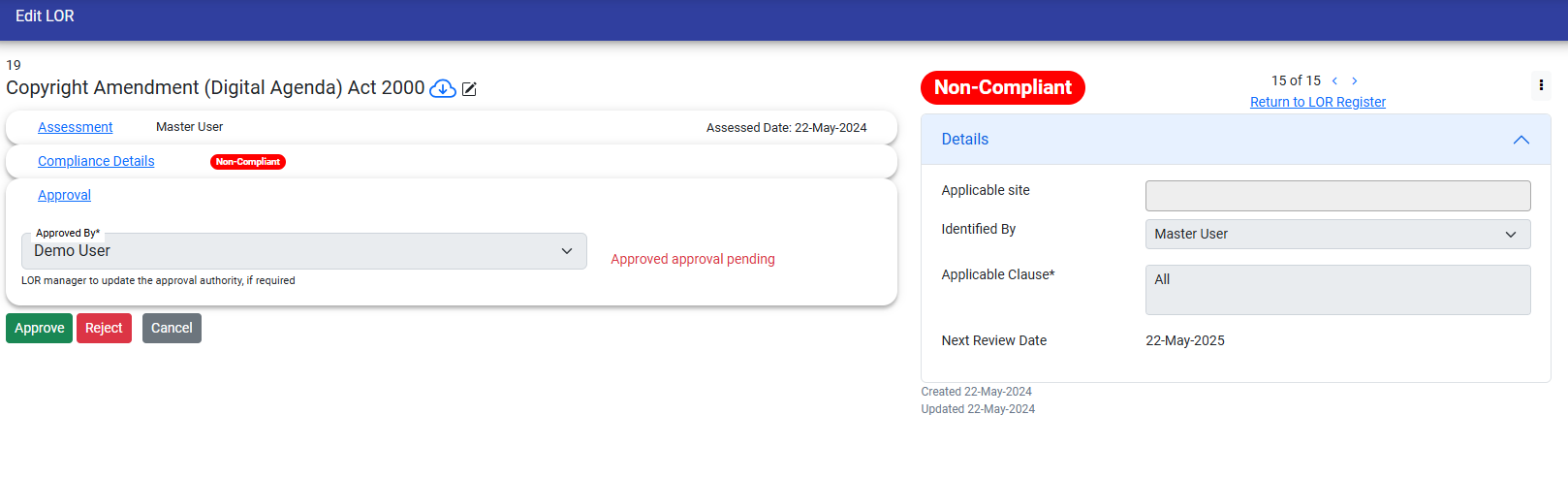
If LOR is rejected then user have to give a reason for rejection.
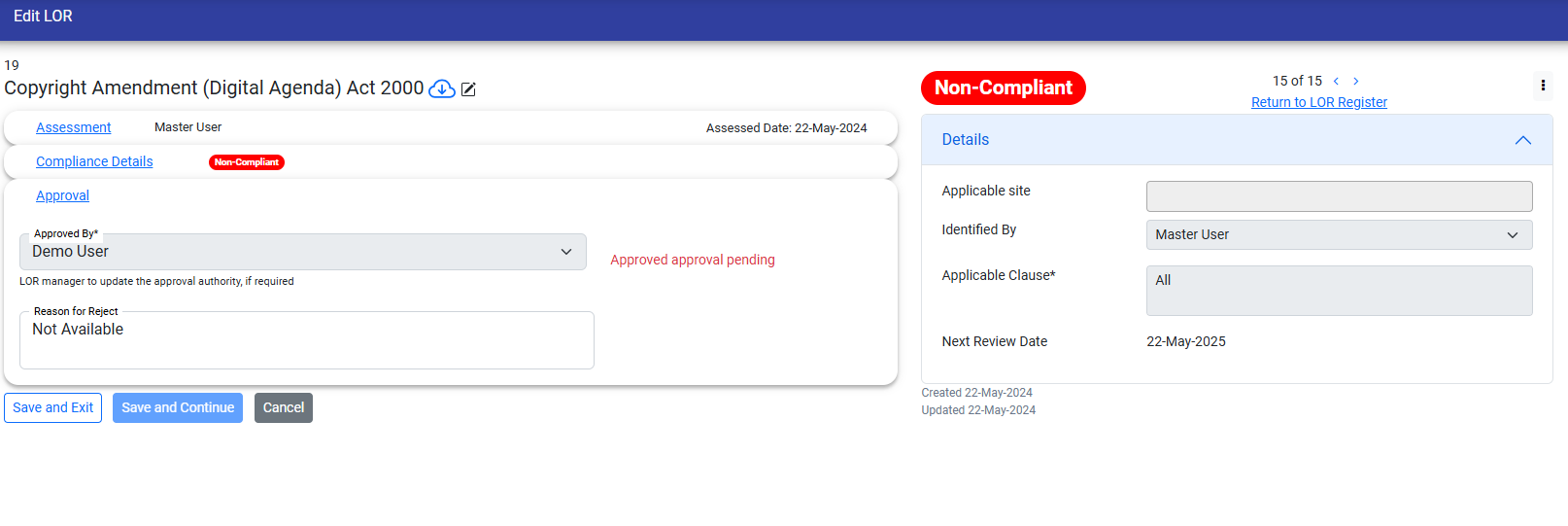
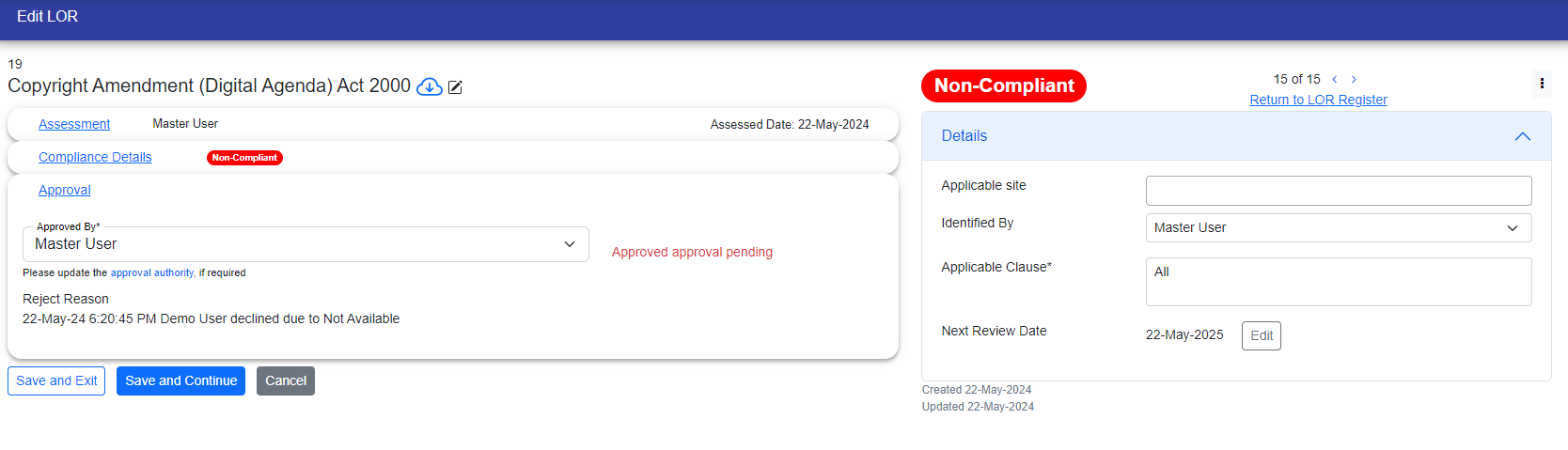
When the Approval User rejects the LOR then it is assigned to the LOR responsible User.
Now if the LOR responsible User wants then he/she can work on it or can assign any other user to work on it.
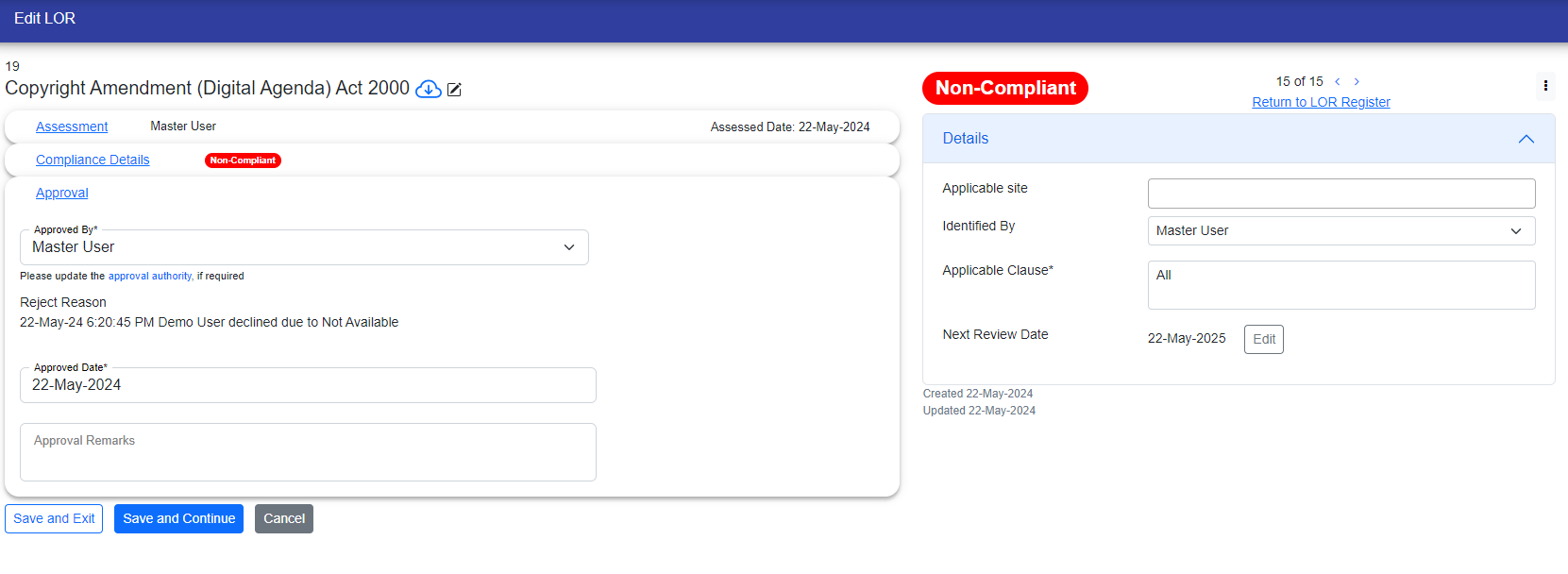
And if user accepts the LOR then Required fields will be visible to the user.

They need to fill out these fields to complete the next steps in the process.
© Tofrum, 2024 • Updated: 4-5-2024
Comment or report problem with topic
